
M
MacRumors
Guest
Author: Juli Clover
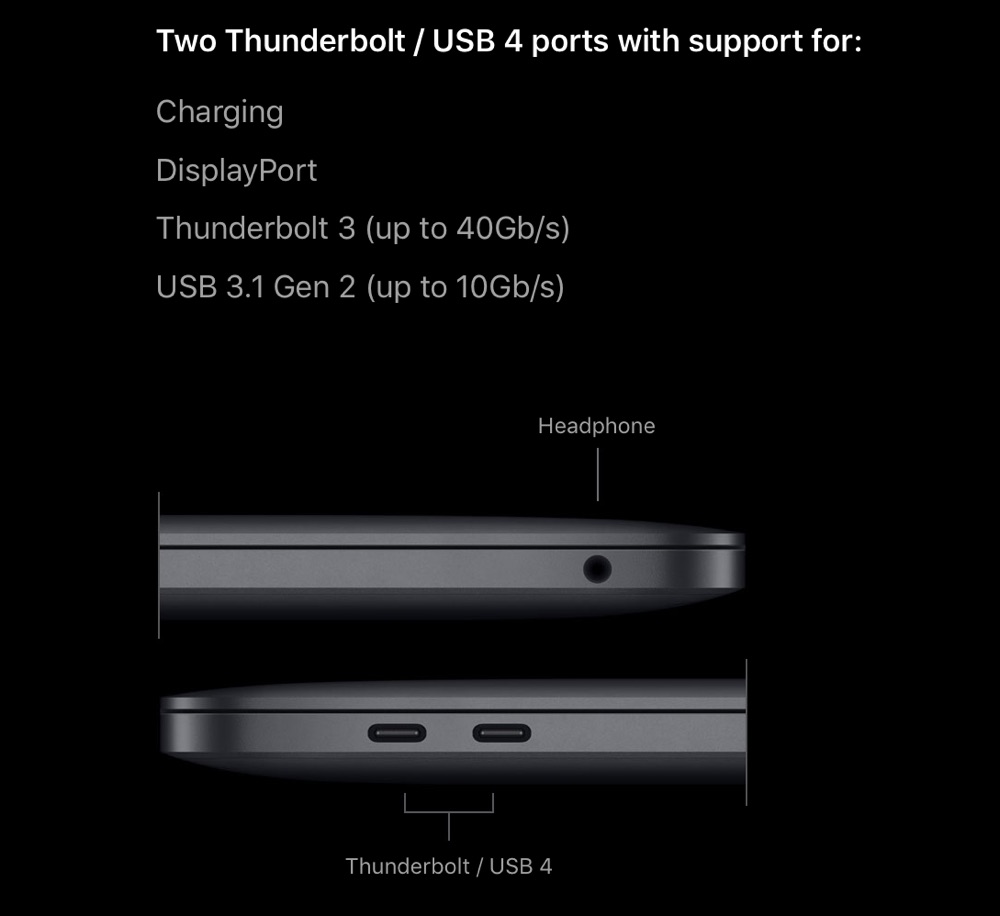
The new M1-equipped MacBook Air, MacBook Pro, and Mac mini are each equipped with two USB-C ports that support USB 4 and Thunderbolt, but as it turns out, Apple is continuing to use Thunderbolt 3 rather than upgrading the new models to Thunderbolt 4.
Intel in July shared details on Thunderbolt 4, which is coming out in new PCs with Tiger Lake processors. Thunderbolt 4 offers the same 40Gb/s maximum speeds available through Thunderbolt 3, but it does bring some notable improvements, such as support for docks with four downstream Thunderbolt ports. From Intel:
Intel has also designed new cables that support Thunderbolt 4 and USB 4, with longer lengths that don't compromise the 40Gb/s speeds. Thunderbolt 4 uses the same physical USB-C connector design, and Thunderbolt 4 ports and cables are backward and cross-compatible with USB 4, Thunderbolt 3, and other USB standards.
Apple's M1 Macs, which include the MacBook Pro, MacBook Air, and Mac mini, are available for purchase today and will begin arriving to customers on November 17.
Related Roundups: Mac mini, MacBook Air, MacBook Pro
Tags: Apple Silicon, M1
Buyer's Guide: Mac Mini (Buy Now), MacBook Air (Buy Now), 13" MacBook Pro (Buy Now)
This article, "New M1 Mac Models Feature Thunderbolt 3 Ports, Not Newer Thunderbolt 4" first appeared on MacRumors.com
Discuss this article in our forums


Continue reading...
The new M1-equipped MacBook Air, MacBook Pro, and Mac mini are each equipped with two USB-C ports that support USB 4 and Thunderbolt, but as it turns out, Apple is continuing to use Thunderbolt 3 rather than upgrading the new models to Thunderbolt 4.
Intel in July shared details on Thunderbolt 4, which is coming out in new PCs with Tiger Lake processors. Thunderbolt 4 offers the same 40Gb/s maximum speeds available through Thunderbolt 3, but it does bring some notable improvements, such as support for docks with four downstream Thunderbolt ports. From Intel:
- Double the minimum video and data requirements of Thunderbolt 3.
- Video: Support for two 4K displays or one 8K display.
- Data: PCIe at 32 Gbps for storage speeds up to 3,000 MBps.
- Support for docks with up to four Thunderbolt 4 ports.
- PC charging on at least one computer port.
- Wake your computer from sleep by touching the keyboard or mouse when connected to a Thunderbolt dock.
- Required Intel VT-d-based direct memory access (DMA) protection that helps prevent physical DMA attacks.
Intel has also designed new cables that support Thunderbolt 4 and USB 4, with longer lengths that don't compromise the 40Gb/s speeds. Thunderbolt 4 uses the same physical USB-C connector design, and Thunderbolt 4 ports and cables are backward and cross-compatible with USB 4, Thunderbolt 3, and other USB standards.
Apple's M1 Macs, which include the MacBook Pro, MacBook Air, and Mac mini, are available for purchase today and will begin arriving to customers on November 17.
Related Roundups: Mac mini, MacBook Air, MacBook Pro
Tags: Apple Silicon, M1
Buyer's Guide: Mac Mini (Buy Now), MacBook Air (Buy Now), 13" MacBook Pro (Buy Now)
This article, "New M1 Mac Models Feature Thunderbolt 3 Ports, Not Newer Thunderbolt 4" first appeared on MacRumors.com
Discuss this article in our forums
Continue reading...