

Author: Tim Hardwick
Thanks to Apple's Sound Recognition feature, the HomePod mini and second-generation HomePod can send you notifications when they recognize smoke or carbon monoxide alarm sounds. Keep reading to learn how it works.
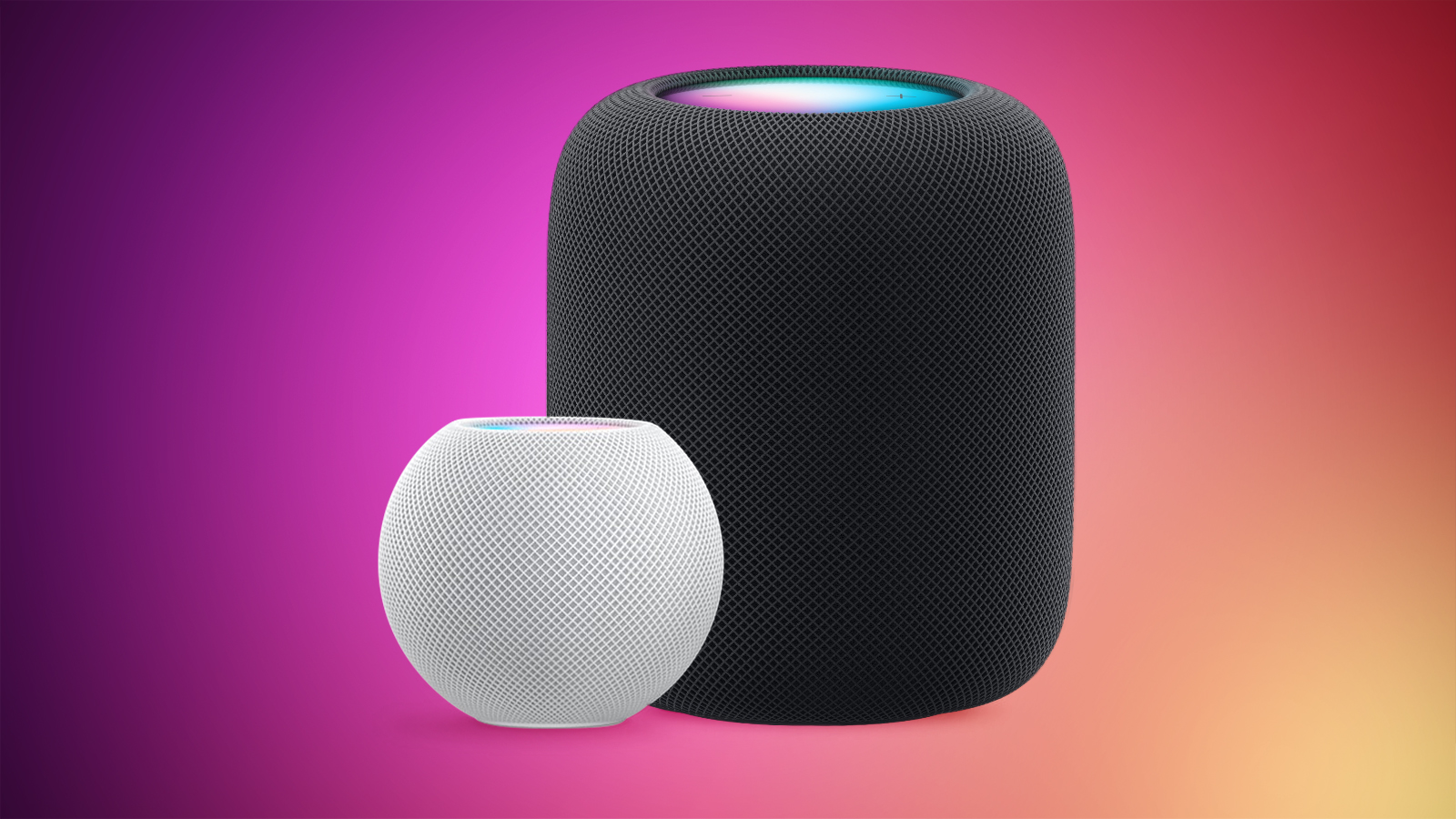
With Sound Recognition, HomePod can detect the sound of a smoke or carbon monoxide alarm in your home, and alert you by sending a notification to your iPhone, iPad or Apple Watch.
It's a neat addition if you don't own a smart detector, although Apple warns that the feature should not be relied upon "in circumstances where users may be harmed or injured," or in "high-risk or emergency situations."
The Sound Recognition feature is accessible in the Home app. If your Home system is connected to a smart camera, it will also display live video of your home, so you can see what's happening in real time.
Here's how to enable the feature. Note that Sound Recognition on HomePods requires Apple's updated Home app architecture that was introduced in 2022 as part of iOS 16.4 and iPadOS 16.4.
Continue reading...
Thanks to Apple's Sound Recognition feature, the HomePod mini and second-generation HomePod can send you notifications when they recognize smoke or carbon monoxide alarm sounds. Keep reading to learn how it works.
With Sound Recognition, HomePod can detect the sound of a smoke or carbon monoxide alarm in your home, and alert you by sending a notification to your iPhone, iPad or Apple Watch.
It's a neat addition if you don't own a smart detector, although Apple warns that the feature should not be relied upon "in circumstances where users may be harmed or injured," or in "high-risk or emergency situations."
The Sound Recognition feature is accessible in the Home app. If your Home system is connected to a smart camera, it will also display live video of your home, so you can see what's happening in real time.
Here's how to enable the feature. Note that Sound Recognition on HomePods requires Apple's updated Home app architecture that was introduced in 2022 as part of iOS 16.4 and iPadOS 16.4.
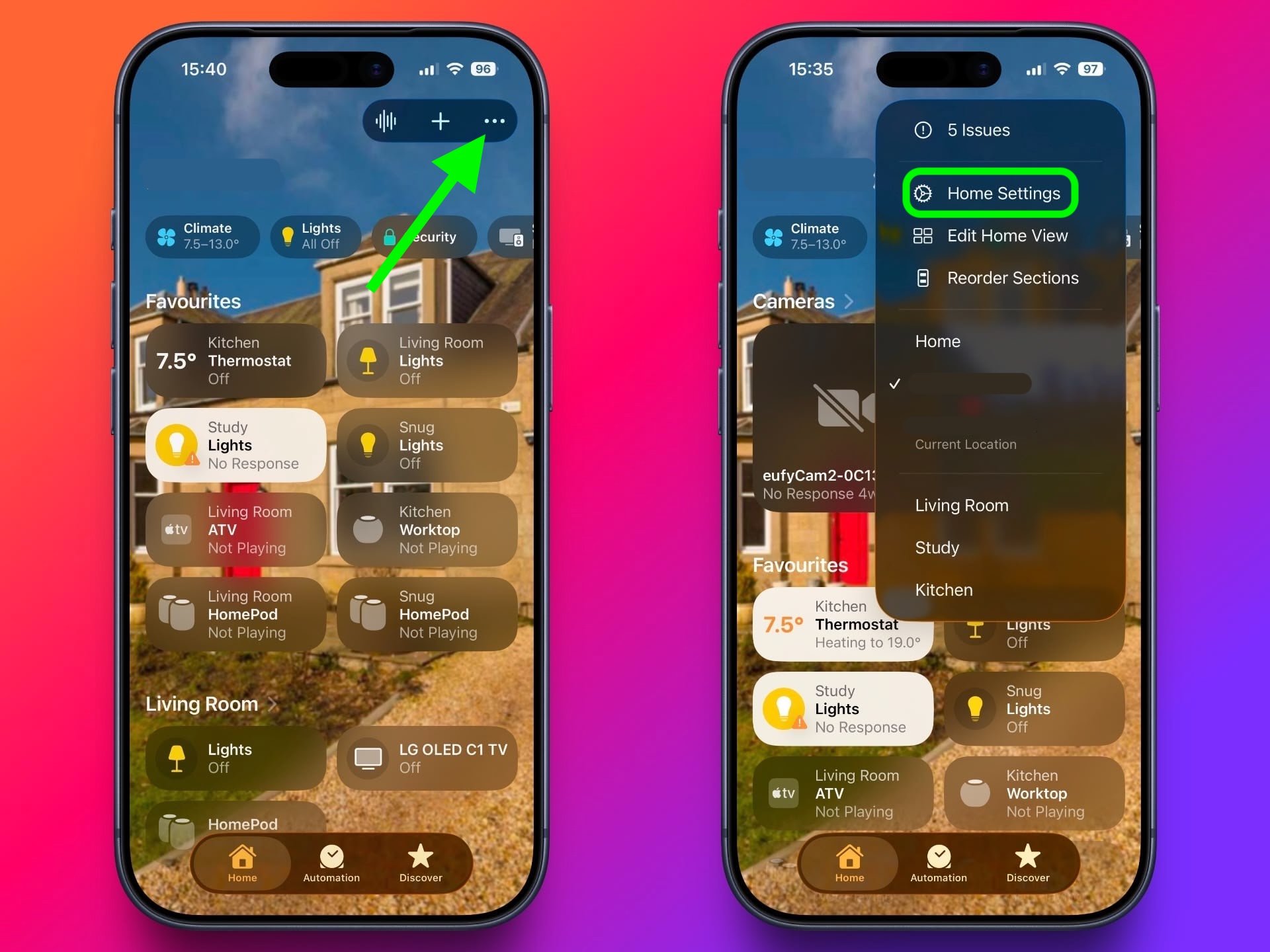
- In the Home app, tap the ellipsis button (three dots) in the top-right corner of the screen.
- Tap Home Settings.
- Tap Safety & Security ➝ Sound Recognition.
- Under "Sounds," make sure the Smoke & CO Alarm toggle is in the green ON position.
- Toggle on the switches next to the HomePod devices that you want to enable Sound Recognition for.
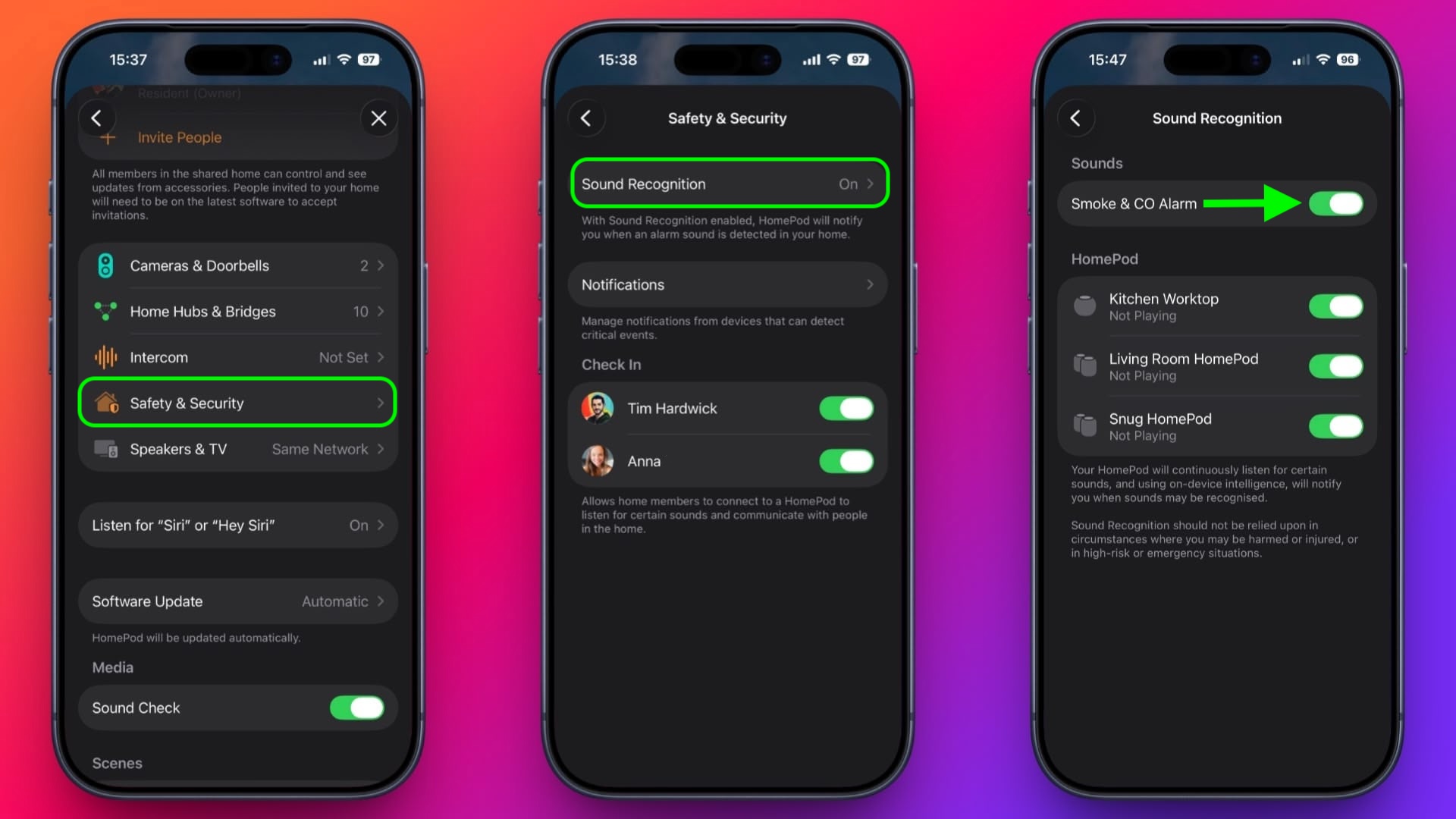
- That's all there is to it. Note that you can also access the Sound Recognition menu via the Home app's menu cards for individual HomePods.
Sound Recognition was first introduced on the iPhone in 2020 and can detect a wide variety of sounds on that device, including a doorbell, running water, a baby crying, a car horn, a door knock, a cat meowing or dog barking, and more.
This article, "Make HomePod Alert You to Smoke Alarms" first appeared on MacRumors.com
Discuss this article in our forums
Continue reading...