
M
MacRumors
Guest
Author: Juli Clover
Apple is continuing on with the beta testing of a new iOS 17.2 update, and the third beta includes new features and refinements for existing features. We are still early in the beta testing process, which means there are new discoveries to make.
iOS 17.2 beta 3 is available to developers right now, but Apple should be making the update available to public beta testers later this week.
Apple Music Favorite Songs
In the Music section of the Settings app, there is now an option to add songs to your Music Library when they are favorited. The feature is toggled on by default, but it can be turned off if desired.
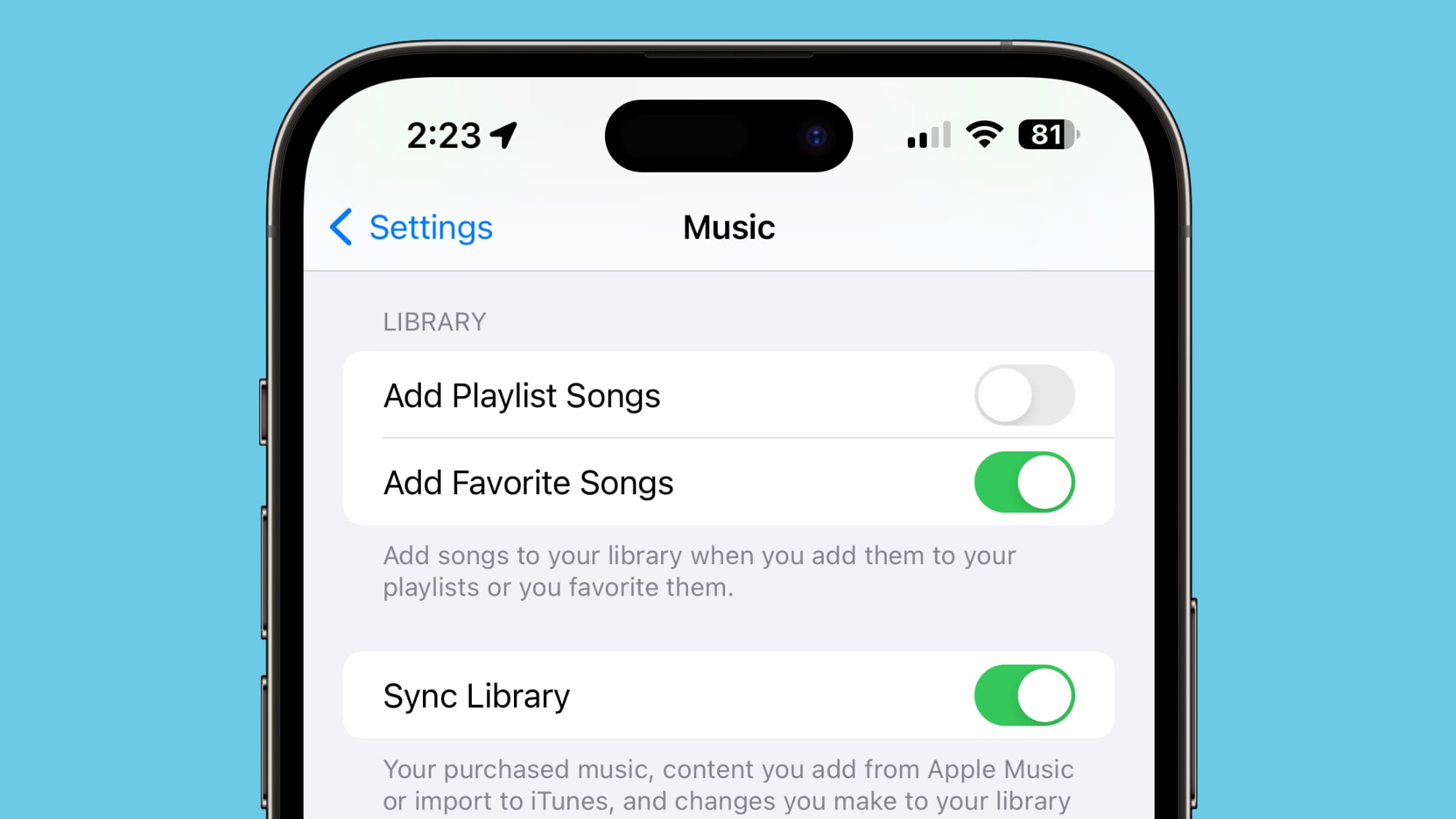
The option to "Favorite" songs was added in iOS 17.1.
Keyboard
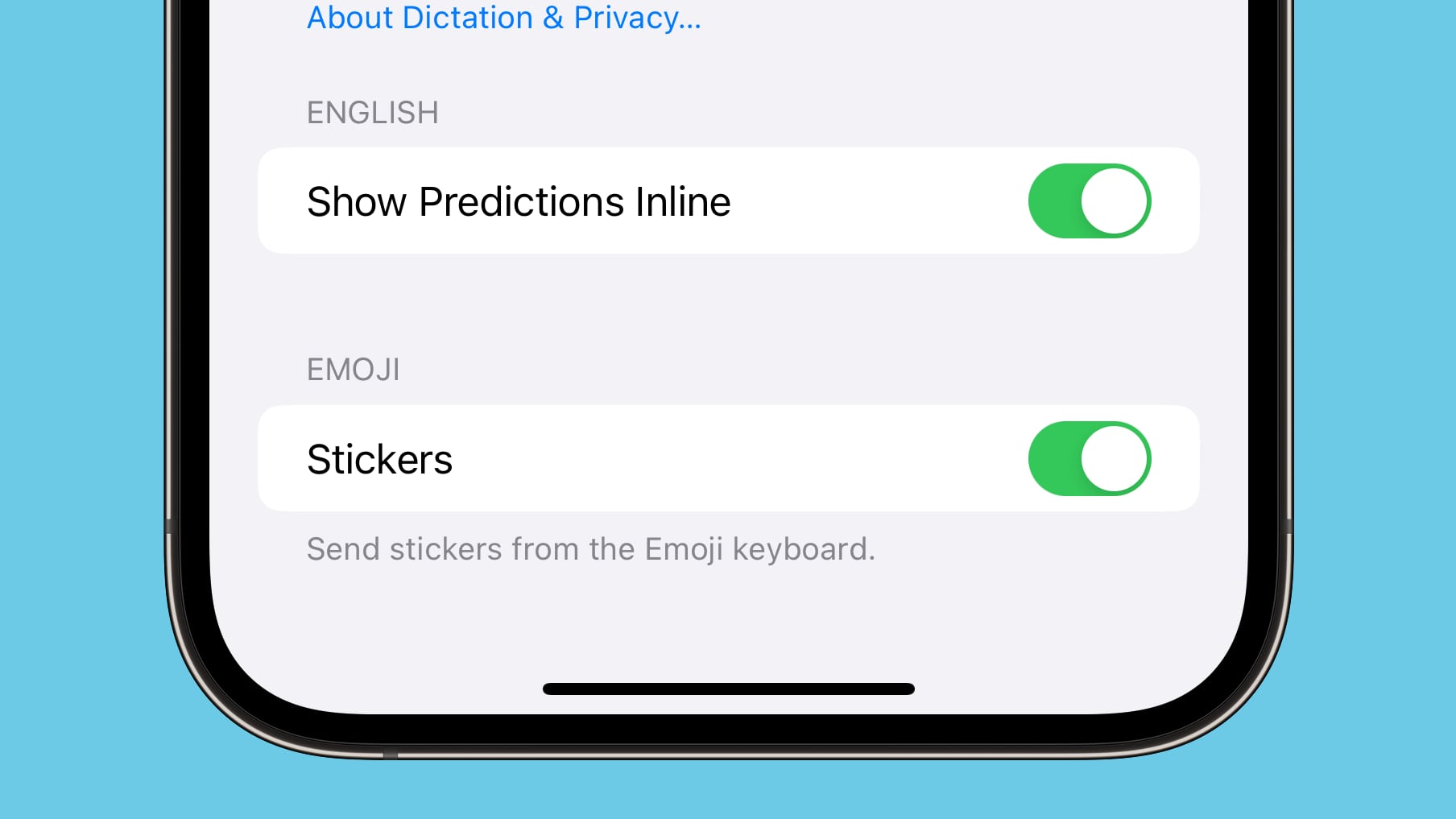
Apple has added an option to disable inline predictions when typing. It can be accessed by opening up the Settings app, choosing General, going to Keyboard, and scrolling down to the "Show Predictions Inline" option.
Phone and FaceTime
In the Phone and FaceTime settings, there is a Share Name and Photo option that uses the Contact Poster. Name and Photo Sharing can be toggled off, set to Contacts Only, or set to Always Ask, which prompts you before sharing that information with others.
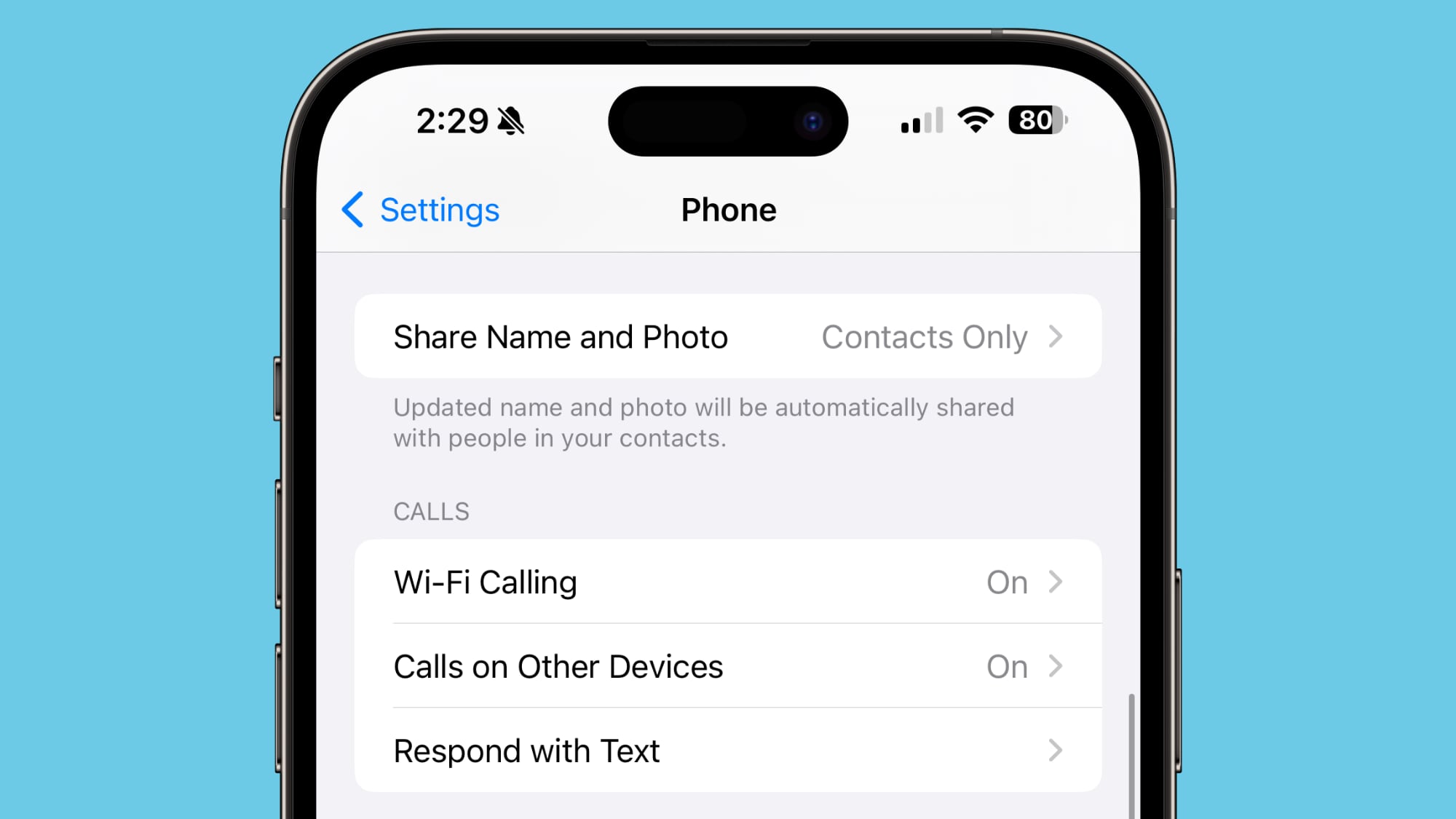
This setting was previously available for the Messages app.
FaceTime
If you join a FaceTime call that includes a contact you have blocked, you will now get a warning. Apple provides warnings when joining a call with a blocked contact, or when a blocked contact is joining a call you're already on.
Photos
When opening the Photos app after updating to iOS 17.2 beta 3, there is a prompt to allow Photos to access the Apple Music library. Photos is then able to use Apple Music to curate songs for Memories.
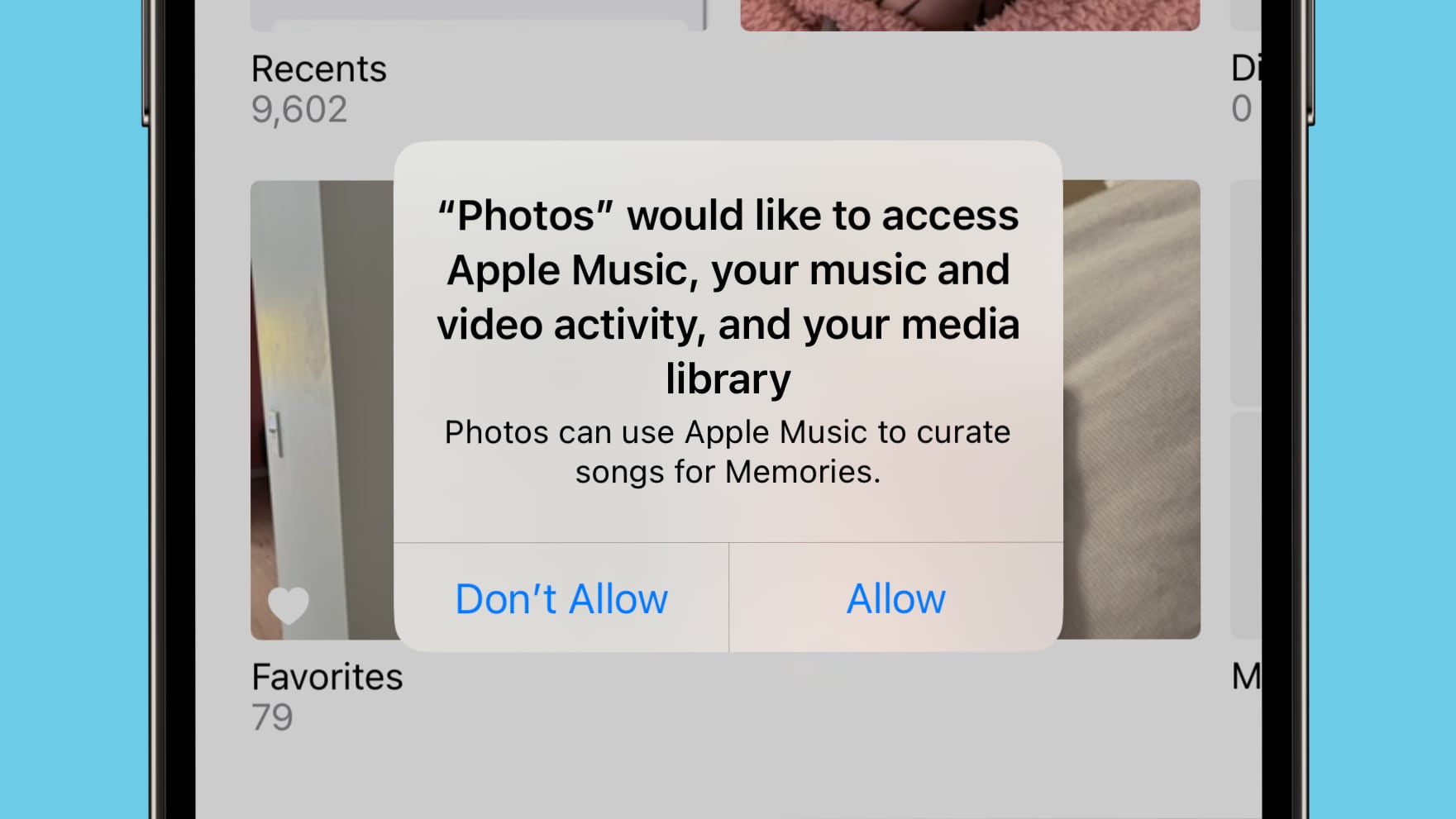
Photos is listed as an app accessing Apple Music under Settings > Privacy and Security after enabling access. Note that Photos already had this capability, but Apple now offers an option to turn off access.
More iOS 17.2 Beta 3 Features
Know of a feature that we left out in this list? Let us know in the comments below.
Related Roundups: iOS 17, iPadOS 17
Related Forums: iOS 17, iPadOS 17
This article, "Everything New in iOS 17.2 Beta 3" first appeared on MacRumors.com
Discuss this article in our forums
Continue reading...
Apple is continuing on with the beta testing of a new iOS 17.2 update, and the third beta includes new features and refinements for existing features. We are still early in the beta testing process, which means there are new discoveries to make.
iOS 17.2 beta 3 is available to developers right now, but Apple should be making the update available to public beta testers later this week.
Apple Music Favorite Songs
In the Music section of the Settings app, there is now an option to add songs to your Music Library when they are favorited. The feature is toggled on by default, but it can be turned off if desired.
The option to "Favorite" songs was added in iOS 17.1.
Keyboard
Apple has added an option to disable inline predictions when typing. It can be accessed by opening up the Settings app, choosing General, going to Keyboard, and scrolling down to the "Show Predictions Inline" option.
Phone and FaceTime
In the Phone and FaceTime settings, there is a Share Name and Photo option that uses the Contact Poster. Name and Photo Sharing can be toggled off, set to Contacts Only, or set to Always Ask, which prompts you before sharing that information with others.
This setting was previously available for the Messages app.
FaceTime
If you join a FaceTime call that includes a contact you have blocked, you will now get a warning. Apple provides warnings when joining a call with a blocked contact, or when a blocked contact is joining a call you're already on.
Photos
When opening the Photos app after updating to iOS 17.2 beta 3, there is a prompt to allow Photos to access the Apple Music library. Photos is then able to use Apple Music to curate songs for Memories.
Photos is listed as an app accessing Apple Music under Settings > Privacy and Security after enabling access. Note that Photos already had this capability, but Apple now offers an option to turn off access.
More iOS 17.2 Beta 3 Features
Know of a feature that we left out in this list? Let us know in the comments below.
Related Roundups: iOS 17, iPadOS 17
Related Forums: iOS 17, iPadOS 17
This article, "Everything New in iOS 17.2 Beta 3" first appeared on MacRumors.com
Discuss this article in our forums
Continue reading...