
M
MacRumors
Guest
Author: Juli Clover
Google is overhauling the YouTube app for iOS to add more intuitive gestures and control options, according to a new blog post on the YouTube site.
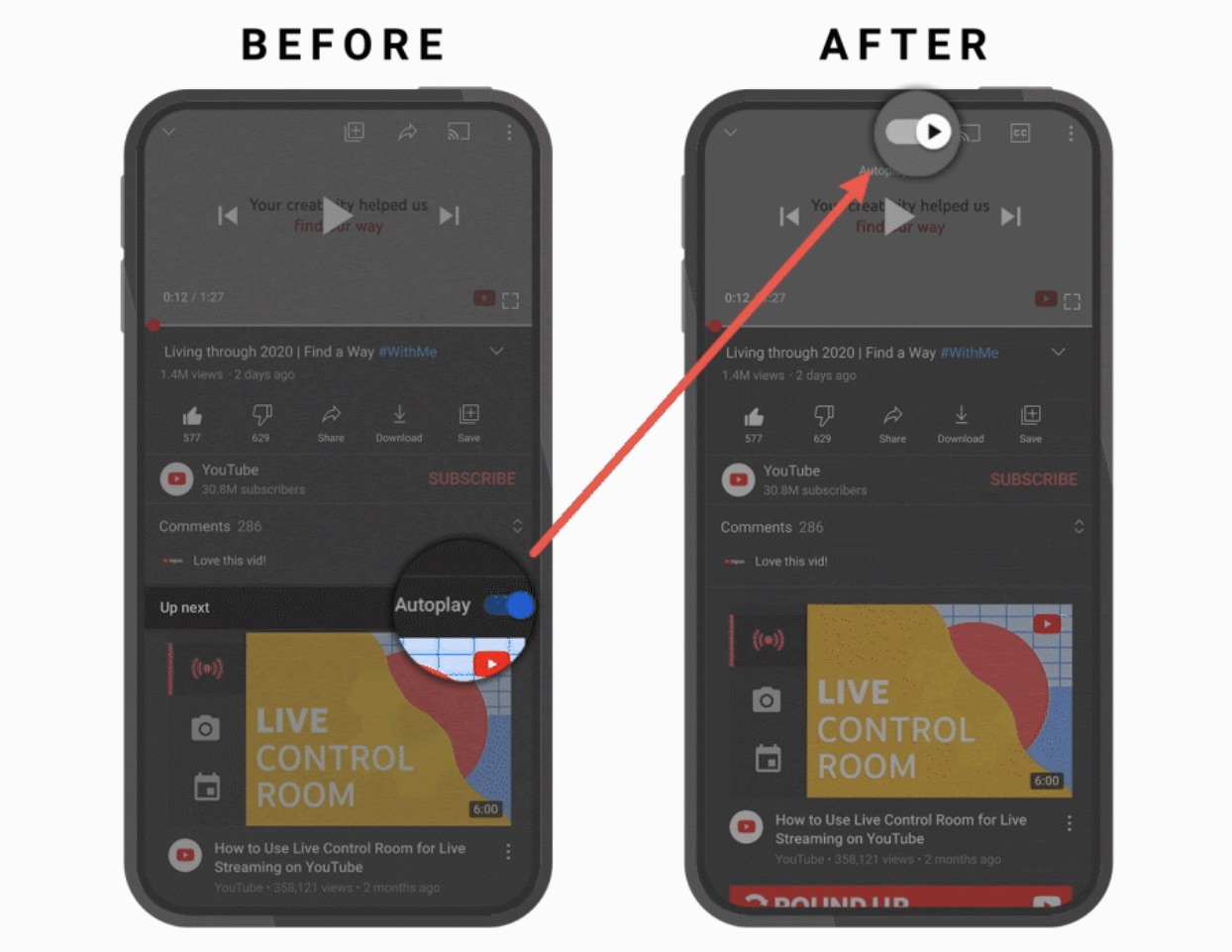
The AutoPlay button is being moved from below a video to the top of a video, so it's easier to turn off autoplay content if desired. Captions are also easier to get to right above the video screen, and YouTube said there are "snappier" controls that make actions faster.
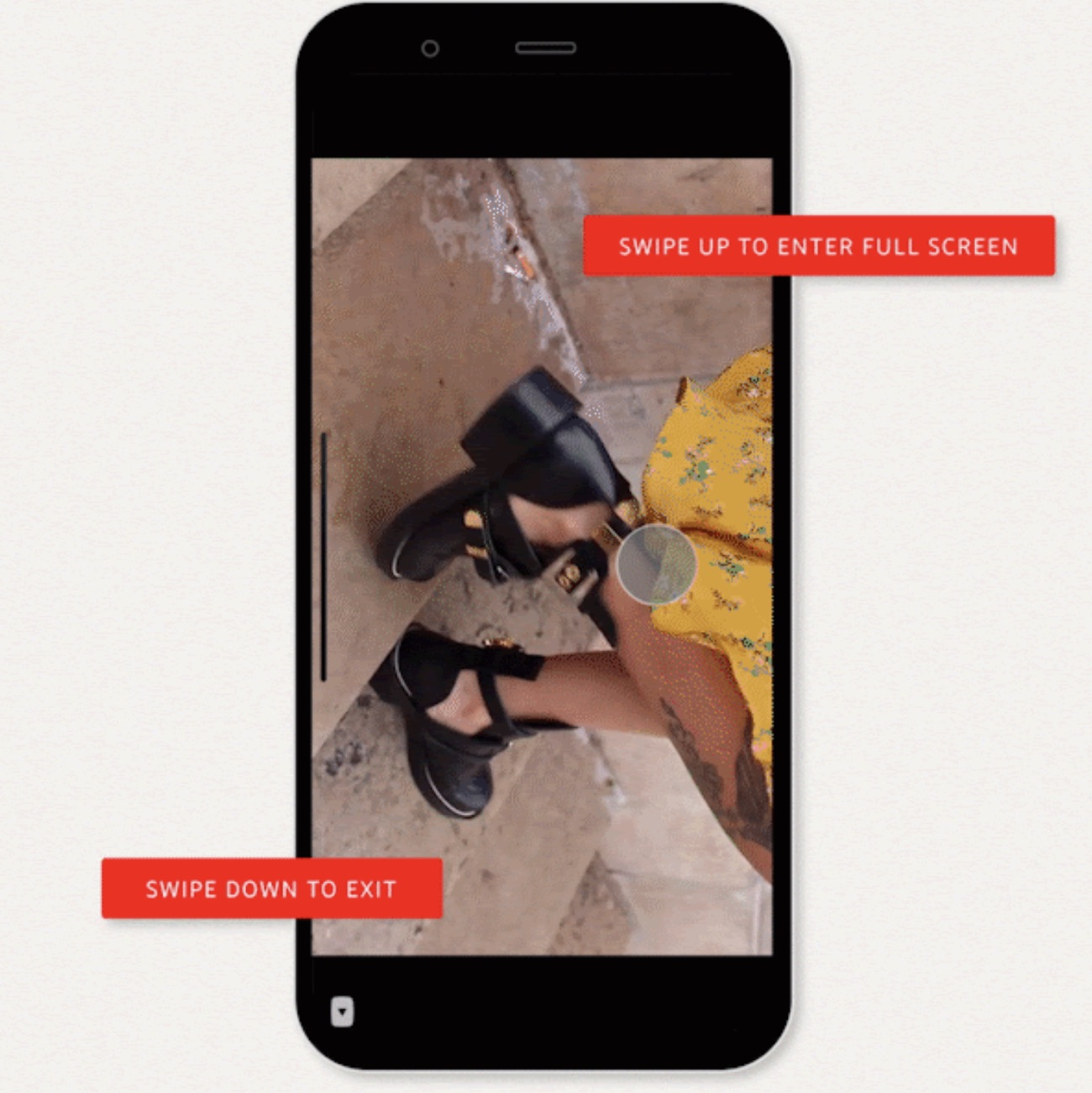
Entering full screen mode can be done by swiping upwards on a video instead of having to tap the screen expansion icon at the bottom of the video, which makes it easier to get to full screen mode. A swipe down exits full screen mode and returns to the standard view.
Tapping on the timestamp will now toggle between the time left on a video and the time that has elapsed, so you can view the video length in your preferred way.
YouTube for iOS is getting suggested actions, which are designed to prompt users to do things like rotate a phone or play a video in VR when YouTube thinks a better viewing experience is available.
YouTube in May added video chapters, and now the feature has been expanded to include a list view that pops up when you tap or click on the chapter title. It includes a complete list of all chapters in the video and a preview thumbnail of content.
These features are rolling out to YouTube users on iOS starting today, with YouTube available from the App Store for free. [Direct Link]
Tags: Google, YouTube
This article, "YouTube for iOS Gaining New Gestures and Controls" first appeared on MacRumors.com
Discuss this article in our forums


Continue reading...
Google is overhauling the YouTube app for iOS to add more intuitive gestures and control options, according to a new blog post on the YouTube site.
The AutoPlay button is being moved from below a video to the top of a video, so it's easier to turn off autoplay content if desired. Captions are also easier to get to right above the video screen, and YouTube said there are "snappier" controls that make actions faster.
Entering full screen mode can be done by swiping upwards on a video instead of having to tap the screen expansion icon at the bottom of the video, which makes it easier to get to full screen mode. A swipe down exits full screen mode and returns to the standard view.
Tapping on the timestamp will now toggle between the time left on a video and the time that has elapsed, so you can view the video length in your preferred way.
YouTube for iOS is getting suggested actions, which are designed to prompt users to do things like rotate a phone or play a video in VR when YouTube thinks a better viewing experience is available.
YouTube in May added video chapters, and now the feature has been expanded to include a list view that pops up when you tap or click on the chapter title. It includes a complete list of all chapters in the video and a preview thumbnail of content.
These features are rolling out to YouTube users on iOS starting today, with YouTube available from the App Store for free. [Direct Link]
Tags: Google, YouTube
This article, "YouTube for iOS Gaining New Gestures and Controls" first appeared on MacRumors.com
Discuss this article in our forums
Continue reading...