
Author: Tim Hardwick
If you often find yourself adding a track to an Apple Music playlist, going back, and then adding it to other playlists, iOS 26.4 includes an option that could save you bags of time: You can now select multiple playlists when adding a song.
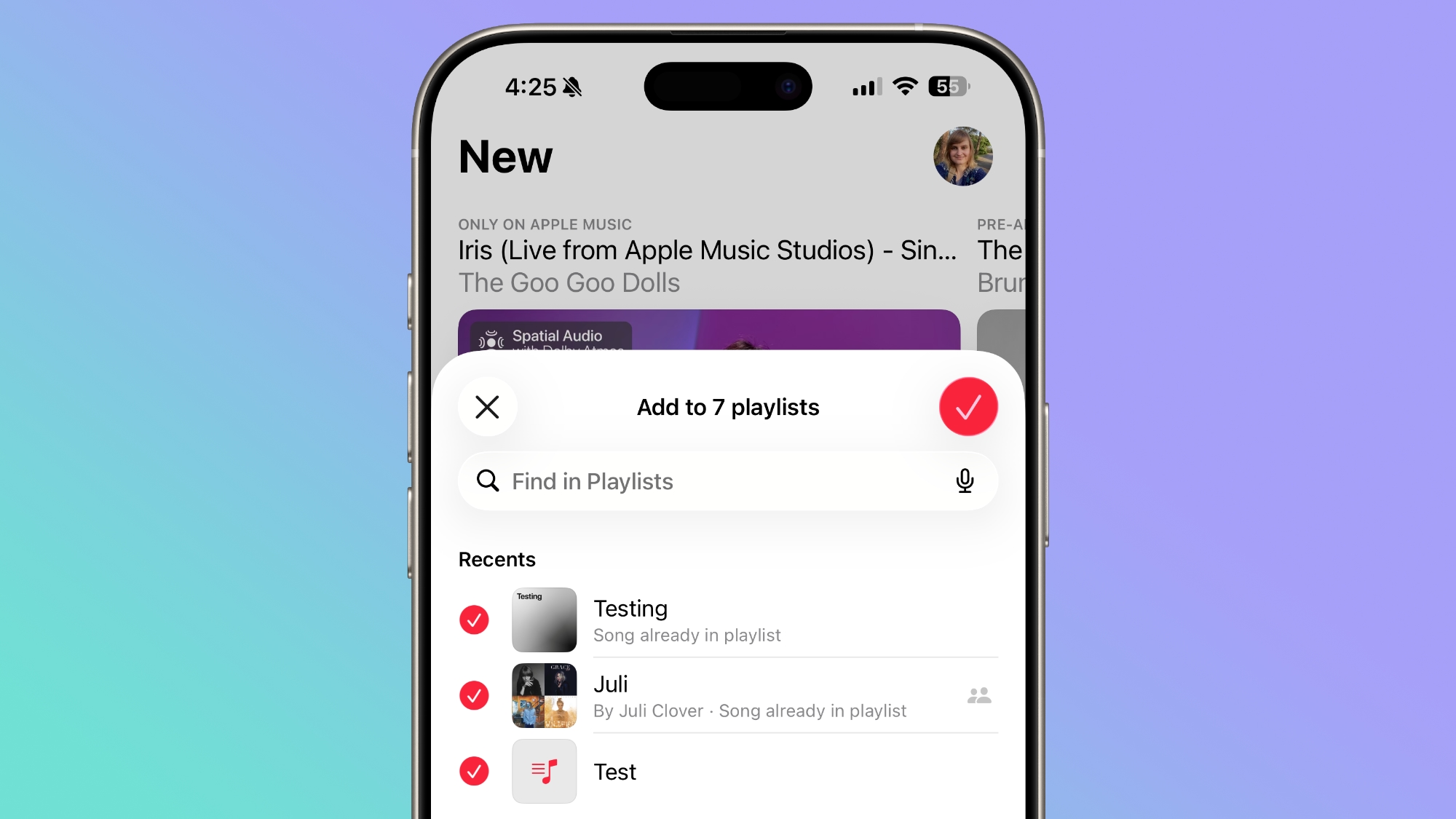
Previously, tapping Add to Playlist would take you to a list of your playlists, and you could only pick one at a time. In iOS 26.4, there's a new multi-select option that lets you check off as many playlists as you like in one go. Here's how it works.
Continue reading...
If you often find yourself adding a track to an Apple Music playlist, going back, and then adding it to other playlists, iOS 26.4 includes an option that could save you bags of time: You can now select multiple playlists when adding a song.
Previously, tapping Add to Playlist would take you to a list of your playlists, and you could only pick one at a time. In iOS 26.4, there's a new multi-select option that lets you check off as many playlists as you like in one go. Here's how it works.
- In the Music app, find the song you want to add.
- Long press the song, or tap the three-dot menu (...) next to it.
- Tap Add to Playlist.
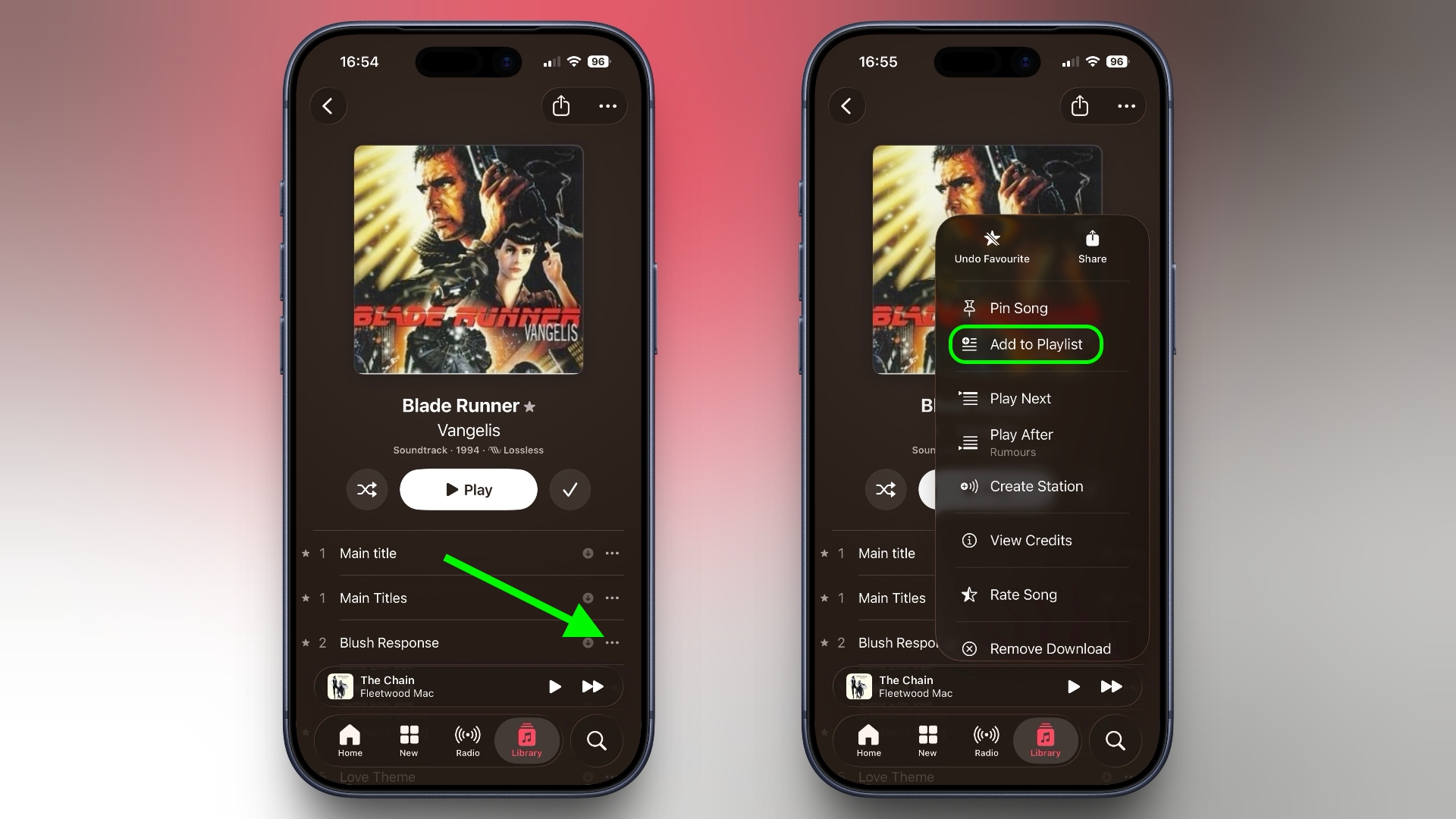
- In the bottom-right corner, tap the new multi-select button.
- Select all the playlists you want to add the song to – each one gets a red checkmark.
- Tap the checkmark button in the top-right corner to confirm.
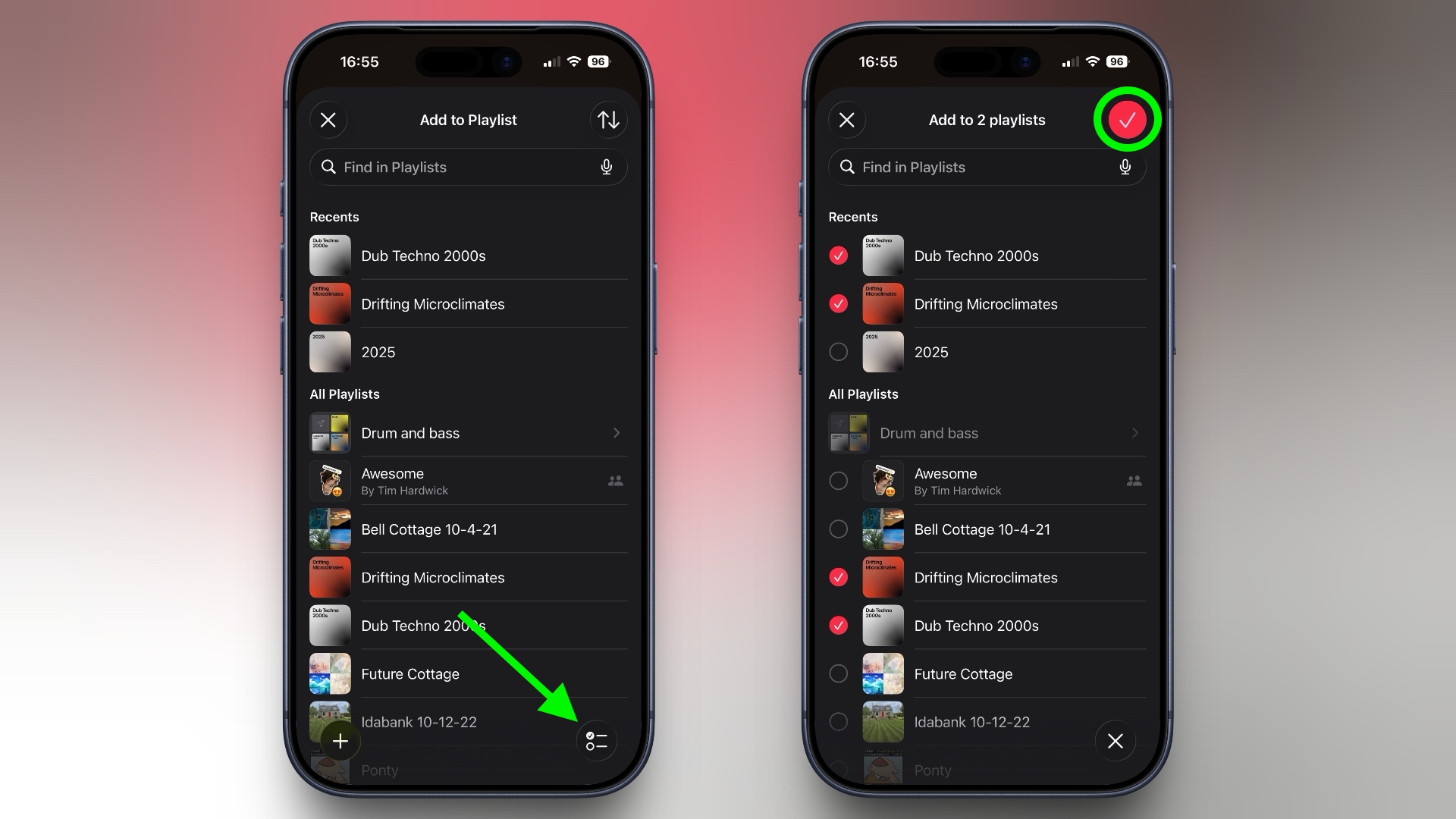
- The header at the top of the screen will update to reflect how many playlists you've selected, so you can keep track before confirming.
It might seem like a minor addition, but if you maintain several playlists organized by mood, genre, or occasion, it eliminates so much back-and-forth navigation. It's no exaggeration to say that some users will have been waiting years for this option.
In iOS 26.4, Apple has also given albums and playlists a new fullscreen design so that the album artwork colors style the entire background of the track list and other UI elements to give each album a more immersive, authentic look. To check out what's new, make sure your iPhone is up-to-date with the latest version by going to Settings ➝ General ➝ Software Update.
Related Roundups: iOS 26, iPadOS 26
Tag: Apple Music
Related Forum: iOS 26
This article, "This Music Selection Tweak in iOS 26.4 Will Save You Bags of Time" first appeared on MacRumors.com
Discuss this article in our forums
Continue reading...