
M
MacRumors
Guest
Author: Juli Clover
In the third developer beta of macOS Monterey, which came out this morning, Apple has overhauled the design of Safari, making the tab bar more similar to the current tab bar in macOS Big Sur.

The prior Safari design did away with the dedicated URL and search interface, instead allowing any individual tab to be used for navigation input. Tabs were also all arranged at the top of the display to minimize the space taken up at the top of a Safari window.
In macOS Monterey, Apple has walked this back. There's a dedicated URL/search bar at the top of the Safari window, with the tabs arranged below it. Clicking on a tab makes it the active window and it's easier to drag tabs for rearranging or opening in a new window.
It's still quite far off from the current Safari design in macOS Big Sur, but it's certainly an improvement over the initial macOS Monterey design.
macOS Monterey beta 3 also appears to lay the groundwork for Universal Control. Under System Preferences -> Displays -> Add Display -> Advanced, there are now preferences that can be selected for the Universal Control feature.
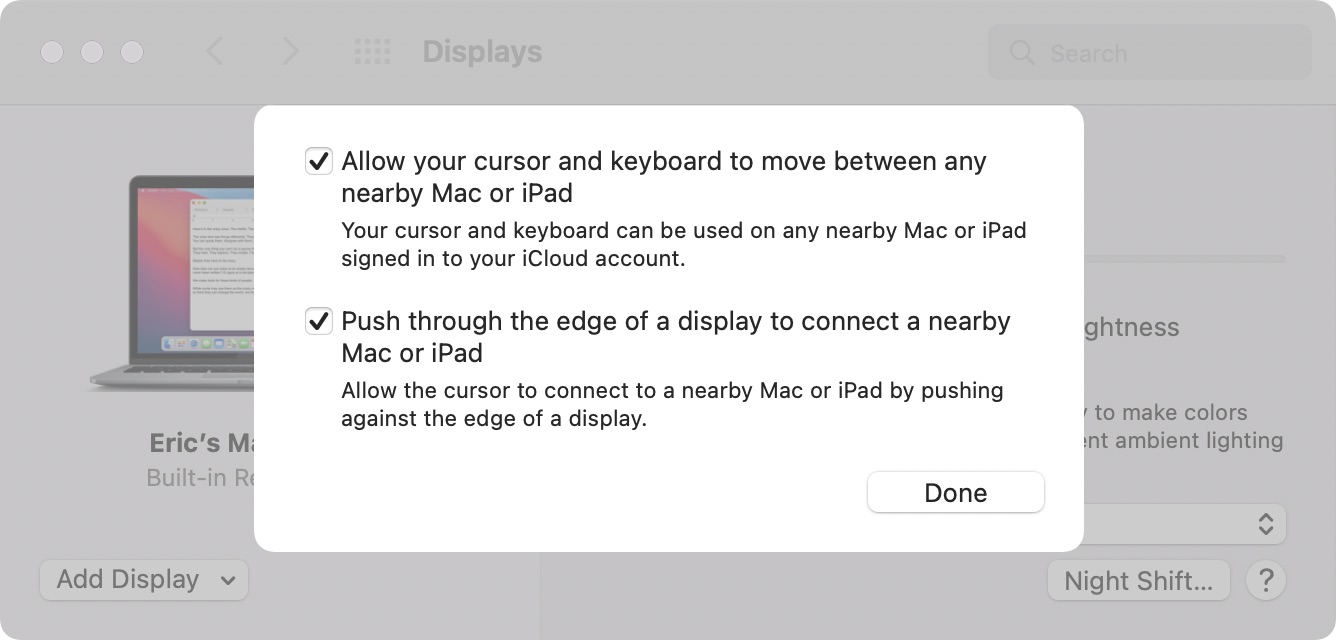
Unfortunately, Universal Control is not functional and we'll have to wait for a later beta to experience a working version.
Related Roundup: macOS Monterey
Tag: Safari
Related Forum: macOS Monterey
This article, "macOS Monterey Beta 3: Apple Redesigns Safari Tab Interface Following Complaints" first appeared on MacRumors.com
Discuss this article in our forums


Continue reading...
In the third developer beta of macOS Monterey, which came out this morning, Apple has overhauled the design of Safari, making the tab bar more similar to the current tab bar in macOS Big Sur.
The prior Safari design did away with the dedicated URL and search interface, instead allowing any individual tab to be used for navigation input. Tabs were also all arranged at the top of the display to minimize the space taken up at the top of a Safari window.
In macOS Monterey, Apple has walked this back. There's a dedicated URL/search bar at the top of the Safari window, with the tabs arranged below it. Clicking on a tab makes it the active window and it's easier to drag tabs for rearranging or opening in a new window.
It's still quite far off from the current Safari design in macOS Big Sur, but it's certainly an improvement over the initial macOS Monterey design.
macOS Monterey beta 3 also appears to lay the groundwork for Universal Control. Under System Preferences -> Displays -> Add Display -> Advanced, there are now preferences that can be selected for the Universal Control feature.
Unfortunately, Universal Control is not functional and we'll have to wait for a later beta to experience a working version.
Related Roundup: macOS Monterey
Tag: Safari
Related Forum: macOS Monterey
This article, "macOS Monterey Beta 3: Apple Redesigns Safari Tab Interface Following Complaints" first appeared on MacRumors.com
Discuss this article in our forums
Continue reading...