
M
MacRumors
Guest
Author: Juli Clover
During the iOS 17 beta testing process from June to September, MacRumors wrote a series of in-depth feature guides highlighting every major new addition, plus how tos that walk you through using the new features.
This comprehensive guide rounds up all of our coverage, making it a great resource for casual users who haven't had a chance to test out iOS 17 and those who might not remember all of the new features. Everything is organized by app or feature to make it easy to find what you might be looking for.
Lock Screen Updates
Apple made further updates to the Lock Screen in iOS 17 with StandBy, a feature that turns an iPhone into a home hub when it's charging and positioned in a horizontal orientation. The update also brings interactive widgets and other features.
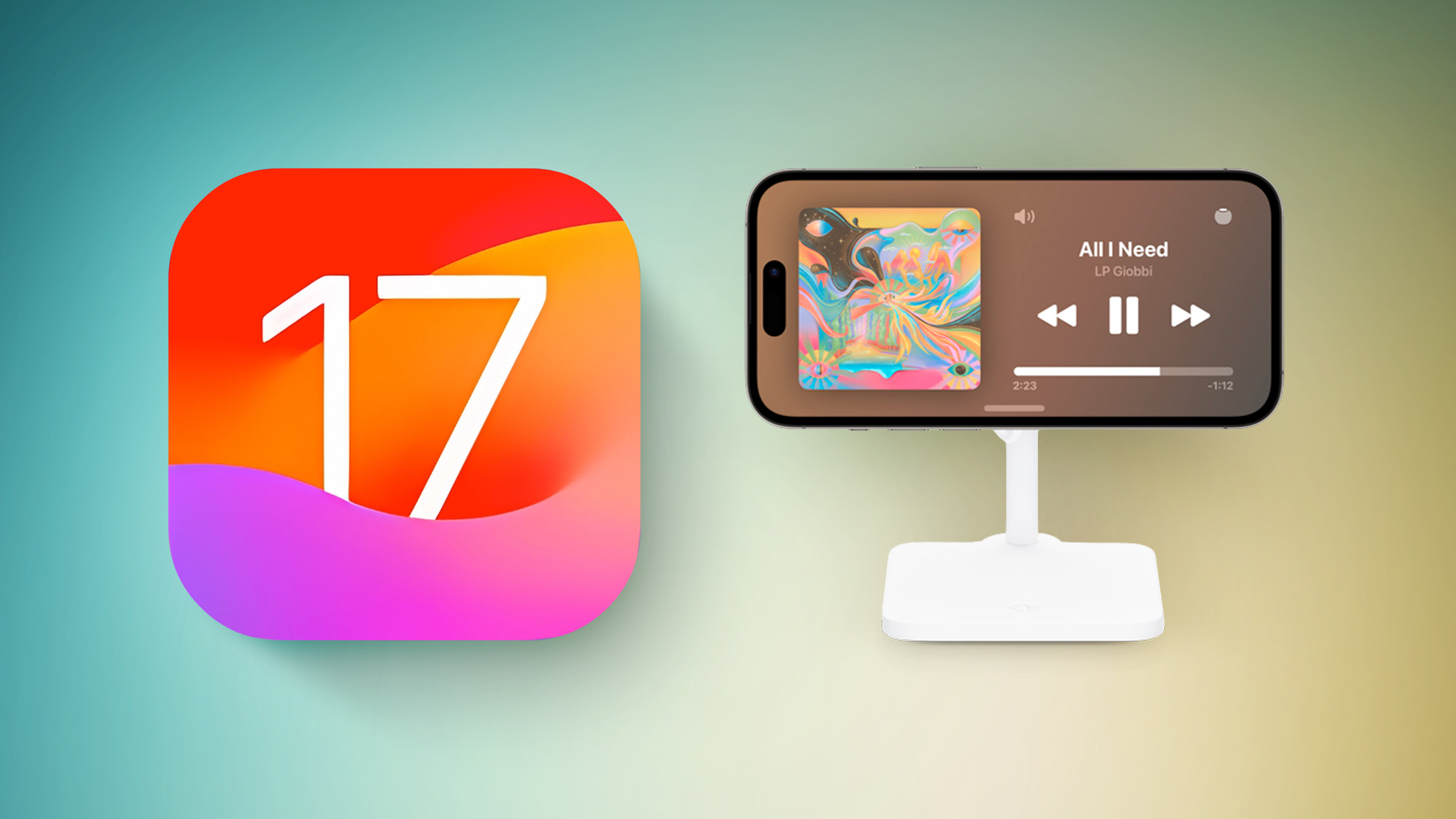
Every new feature for the Lock Screen is outlined in our iOS 17 Lock Screen guide.
Messages
The Messages app got a redesign that makes it less cluttered and simpler to use, plus it has a revamp to the stickers function. Emoji are now stickers and can be placed anywhere on an iMessage, and you can even create your own stickers from photos. A new Check In feature keeps you safe by allowing friends and family to track your trips when you're alone.
There are more than 10 new features in the Messages app, all of which can be found in our iOS 17 Messages guide.
Privacy and Security
There are multiple privacy and security improvements in iOS 17, including restricted access to the private browsing tab, the removal of tracking URLs, secure ways to share passwords, and more.
All of the privacy and security enhancements in iOS 17 are listed in our Privacy and Security guide.
Safety
New safety-related features in iOS 17 range from sensitive content warnings that block unwanted nude photos to offline maps and critical reminders for medications.
All of the updated safety features in iOS 17 are included in our dedicated iOS 17 Safety guide.
CarPlay
Apple didn't preview the promised next-generation CarPlay experience, but CarPlay did get SharePlay for allowing everyone in the car to contribute to the music, plus it includes improvements for locating EV charging stations.

Everything new in CarPlay can be found in our dedicated CarPlay guide.
Siri
In iOS 17, you no longer need to say "Hey Siri" to activate Siri, and you can instead just say "Siri." Siri can also read web articles and recognize back to back requests.
For more on what's new with Siri (and Spotlight), we have a dedicated iOS 17 guide
Safari
Safari supports profiles for separating work browsing and home browsing (or any kind of browsing you want to segregate), plus there's now a locked private browsing window that you can't open without FaceTime or Touch ID authentication.
Apple has also improved anti-tracking features, boosted password functionality, and more, with full details available in our iOS 17 Safari guide.
Phone and FaceTime
The Phone app and the FaceTime apps have some of the most notable changes in iOS 17. You can set up a Contact Poster that people see when you call them, and you can see the voicemails people are leaving in real time so you can pick up if it's important. FaceTime supports audio and video messages so you can leave FaceTime voicemails too.
Continue reading...
During the iOS 17 beta testing process from June to September, MacRumors wrote a series of in-depth feature guides highlighting every major new addition, plus how tos that walk you through using the new features.
This comprehensive guide rounds up all of our coverage, making it a great resource for casual users who haven't had a chance to test out iOS 17 and those who might not remember all of the new features. Everything is organized by app or feature to make it easy to find what you might be looking for.
Lock Screen Updates
Apple made further updates to the Lock Screen in iOS 17 with StandBy, a feature that turns an iPhone into a home hub when it's charging and positioned in a horizontal orientation. The update also brings interactive widgets and other features.
- How to Use iPhone's New StandBy Mode
- How to Disable Notifications in StandBy Mode
- How to Customize Widgets in StandBy Mode
- How to Change iPhone Clock Style in StandBy Mode
- How to Customize the Photos Screen in StandBy Mode
- How to Disable the Red Tint in StandBy Mode
- How to Make StandBy Mode Come On and Stay On
Every new feature for the Lock Screen is outlined in our iOS 17 Lock Screen guide.
Messages
The Messages app got a redesign that makes it less cluttered and simpler to use, plus it has a revamp to the stickers function. Emoji are now stickers and can be placed anywhere on an iMessage, and you can even create your own stickers from photos. A new Check In feature keeps you safe by allowing friends and family to track your trips when you're alone.
- How to Turn Live Photos into Animated Stickers in Messages
- How to Catch Up in a Messages Chat
- How to Organize Your iMessage Apps in Messages
- How to Delete iMessage Apps
- How to Auto-Delete Verification Codes in Messages and Mail
- How to Send an Audio Message in Apple's Messages App
- How to Share Photos in Apple's Revamped Messages App
- How to Create Live Stickers in Messages
- How to Add Effects to Stickers in Messages
- How to Use Emoji as Stickers in Messages
- How to Turn Your Photo Subjects into Message Stickers
- How to Find Messages Faster Using Search Filters
- How to Share Your Location in the Messages App
- How to Use Apple's Check In Feature in Messages
There are more than 10 new features in the Messages app, all of which can be found in our iOS 17 Messages guide.
Privacy and Security
There are multiple privacy and security improvements in iOS 17, including restricted access to the private browsing tab, the removal of tracking URLs, secure ways to share passwords, and more.
- How to Share Passwords With Friends and Family
- How to Control Which Apps Have Access to Your Photos
- How to Control Which Apps Have Access to Your Calendars
All of the privacy and security enhancements in iOS 17 are listed in our Privacy and Security guide.
Safety
New safety-related features in iOS 17 range from sensitive content warnings that block unwanted nude photos to offline maps and critical reminders for medications.
All of the updated safety features in iOS 17 are included in our dedicated iOS 17 Safety guide.
CarPlay
Apple didn't preview the promised next-generation CarPlay experience, but CarPlay did get SharePlay for allowing everyone in the car to contribute to the music, plus it includes improvements for locating EV charging stations.
Everything new in CarPlay can be found in our dedicated CarPlay guide.
Siri
In iOS 17, you no longer need to say "Hey Siri" to activate Siri, and you can instead just say "Siri." Siri can also read web articles and recognize back to back requests.
- How to Get Siri to Read Web Articles to You
- How to Choose Which App Siri Uses to Send a Message
- How to Force Siri to Listen for 'Hey Siri' Instead of Just 'Siri'
For more on what's new with Siri (and Spotlight), we have a dedicated iOS 17 guide
Safari
Safari supports profiles for separating work browsing and home browsing (or any kind of browsing you want to segregate), plus there's now a locked private browsing window that you can't open without FaceTime or Touch ID authentication.
- How to Clear Safari Web History for a Specific Profile
- How to Set a Different Default Search Engine When Private Browsing in Safari
- How to Disable Private Browsing Authentication in Safari
- How to Remove Tracking Information From URLs in Safari
- How to Recover a Deleted Password in Keychain
- How to Show and Hide Website Favicons in Safari's Favorites Bar
- How to Save Long-Form Web Articles and Other Scrollable Content to Photos
- How to Separate Your Browsing Habits With Safari Profiles
Apple has also improved anti-tracking features, boosted password functionality, and more, with full details available in our iOS 17 Safari guide.
Phone and FaceTime
The Phone app and the FaceTime apps have some of the most notable changes in iOS 17. You can set up a Contact Poster that people see when you call them, and you can see the voicemails people are leaving in real time so you can pick up if it's important. FaceTime supports audio and video messages so you can leave FaceTime voicemails too.
- How to Create Your Own Contact Poster
- How to Record a FaceTime Video or Audio Message
- How to Use iPhone as a FaceTime Camera on Apple TV
- How to Trigger Reaction Effects in FaceTime
For more on what's new with FaceTime and the Phone app, we have a dedicated iOS 17 Communications guide.
Autocorrect and the Keyboard
Apple is using a new machine learning algorithm for autocorrect so it's smarter than before, plus it's easier to correct the mistakes that it makes. Autofill is quicker, and stickers are now found in the same place as emoji so you can use them everywhere in the operating system.
A more detailed overview of what's new with autocorrect can be found in our iOS 17 autocorrect guide.
AirDrop
AirDrop has a new NameDrop option for quickly sharing contact information with someone by touching two phones together, plus there are new proximity sharing options.
- How to Send Files and Photos With AirDrop Proximity Sharing
- How to Share Contact Details With NameDrop
There are a few other new features available in AirDrop, which can be found in our AirDrop guide.
AirPlay
There are a couple of new features in AirPlay, including automatic AirPlay functionality with TVs and a smarter AirPlay function that puts the device you AirPlay to most often at the top of the AirPlay interface.
Later this year, Apple also plans to bring AirPlay functionality to hotel TVs so you can watch your content without having to log in to your streaming services when traveling.
Weather
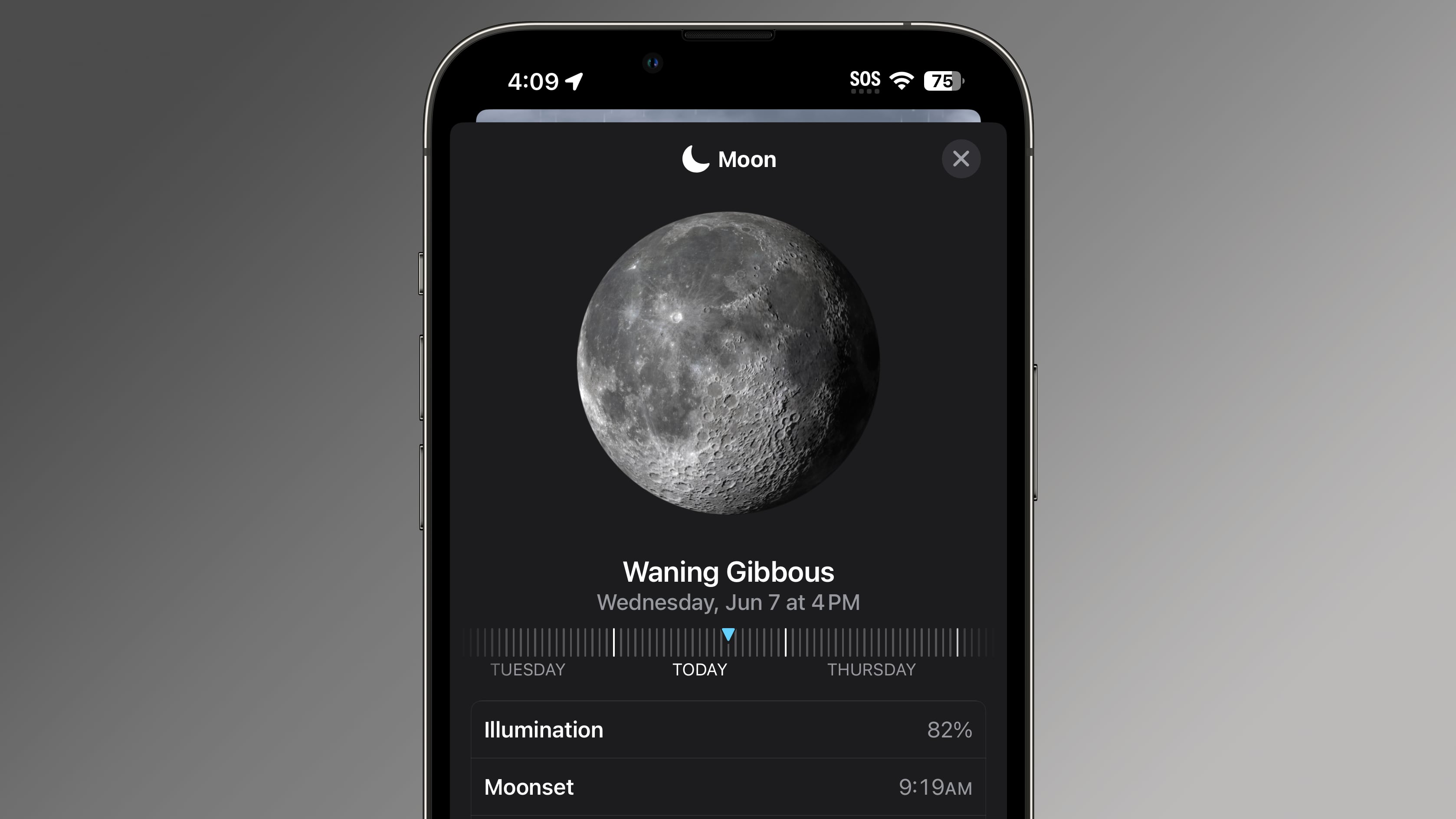
In the Weather app, Apple has added a new widget for viewing moon phases, plus an option to see yesterday's weather in the 10-day forecast. There are several other small but useful changes, all of which are outlined in our iOS 17 Weather guide.
Health
In the Health app, the major new feature is mood tracking, which is designed to help you catalog your emotions throughout the day and over a long period of time, determining what influences how you feel and how activities like exercise impact mood. The Health app has also expanded to iPad, and there are a few other new features.

- How to Track Your Mood With Apple Health
- How to Get Follow Up and Critical Medication Reminders
- How to Protect Your Eyes With the Screen Distance Measuring Tool
Everything new in the Health app is outlined in our iOS 17 Health guide.
Maps
In the Maps app, Apple has added offline maps for the first time, so you can download maps for the area that you're in or visiting and have access even without a cellular or WiFi connection.
There are also changes to the Maps interface and a few other tweaks, with details available in our iOS 17 Maps guide.
Photos and Camera
The iOS 17 Photos app is able to recognize pets in addition to people, correctly identifying different cats and dogs. Visual Look Up works with recipes, laundry symbols, and more, plus it can be used with videos. The Camera app has an improved interface for QR codes and new leveling tools.
- How to Use One-Tap Crop in Photos
- How to Name Your Pets in Photos With Pet Recognition
- How to Straighten Your Shooting Angle With the New Camera Level Feature
A walkthrough of all of the new features in the iOS 17 Photos and Camera apps can be found in our dedicated guide.
Apple Music
In iOS 17, Apple has added long-requested features like collaborative playlists and crossfade for a non-stop music experience. There are also new CarPlay sharing tools, song credits, and more.
A full list of everything new in Apple Music can be found in our iOS 17 Apple Music guide.
Notes and Reminders
The Notes and Reminders app in iOS 17 have a number of useful new features. You can link one note to another for the first time, so you can create wiki-style documents, and in Reminders, there's new grocery sorting, custom sections, and a column view option.
A complete rundown on what's new with Notes and Reminders can be found in our guide.
Other How Tos
- How to Ping Your Apple Watch With Your iPhone
- How to Make Haptic Touch Faster on iPhone
- How to Change a New iPhone Passcode If You Forget It
- How to Set and Label Multiple Timers on iPhone
- How to Find Your Apple TV Siri Remote Using Your iPhone
Read More
We have a complete overview of all of the new features in iOS 17 in one handy place in our iOS 17 roundup, which is also well worth checking out for all of the little details that didn't make it into our guides and how tos.
Related Roundups: iOS 17, iPadOS 17
Related Forums: iOS 17, iPadOS 17
This article, "iOS 17 Features: The Ultimate Mega Guide" first appeared on MacRumors.com
Discuss this article in our forums- How to Send Files and Photos With AirDrop Proximity Sharing
Continue reading...