
M
MacRumors
Guest
Author: Tim Hardwick
In iOS 15 and iPadOS 15, one of several new accessibility features that Apple has introduced is Background Sounds, which is designed to minimize distractions and help you stay focused, stay calm, and minimize distractions with the help of your iPhone or iPad.

The Background Sounds on offer include balanced, bright, and dark noise, as well as natural sounds like ocean, rain, and stream. All of the sounds can be set to play in the background to mask unwanted environmental or external noise, and the sounds mix into or duck under other audio and system sounds.
The following steps explain how to enable Background Sounds on iOS devices running iOS 15.

Continue reading...
In iOS 15 and iPadOS 15, one of several new accessibility features that Apple has introduced is Background Sounds, which is designed to minimize distractions and help you stay focused, stay calm, and minimize distractions with the help of your iPhone or iPad.
The Background Sounds on offer include balanced, bright, and dark noise, as well as natural sounds like ocean, rain, and stream. All of the sounds can be set to play in the background to mask unwanted environmental or external noise, and the sounds mix into or duck under other audio and system sounds.
The following steps explain how to enable Background Sounds on iOS devices running iOS 15.
- Launch the Settings app on your iPhone or iPad.
- Tap Accessibility.
- Under "Hearing," tap Audio/Visual.
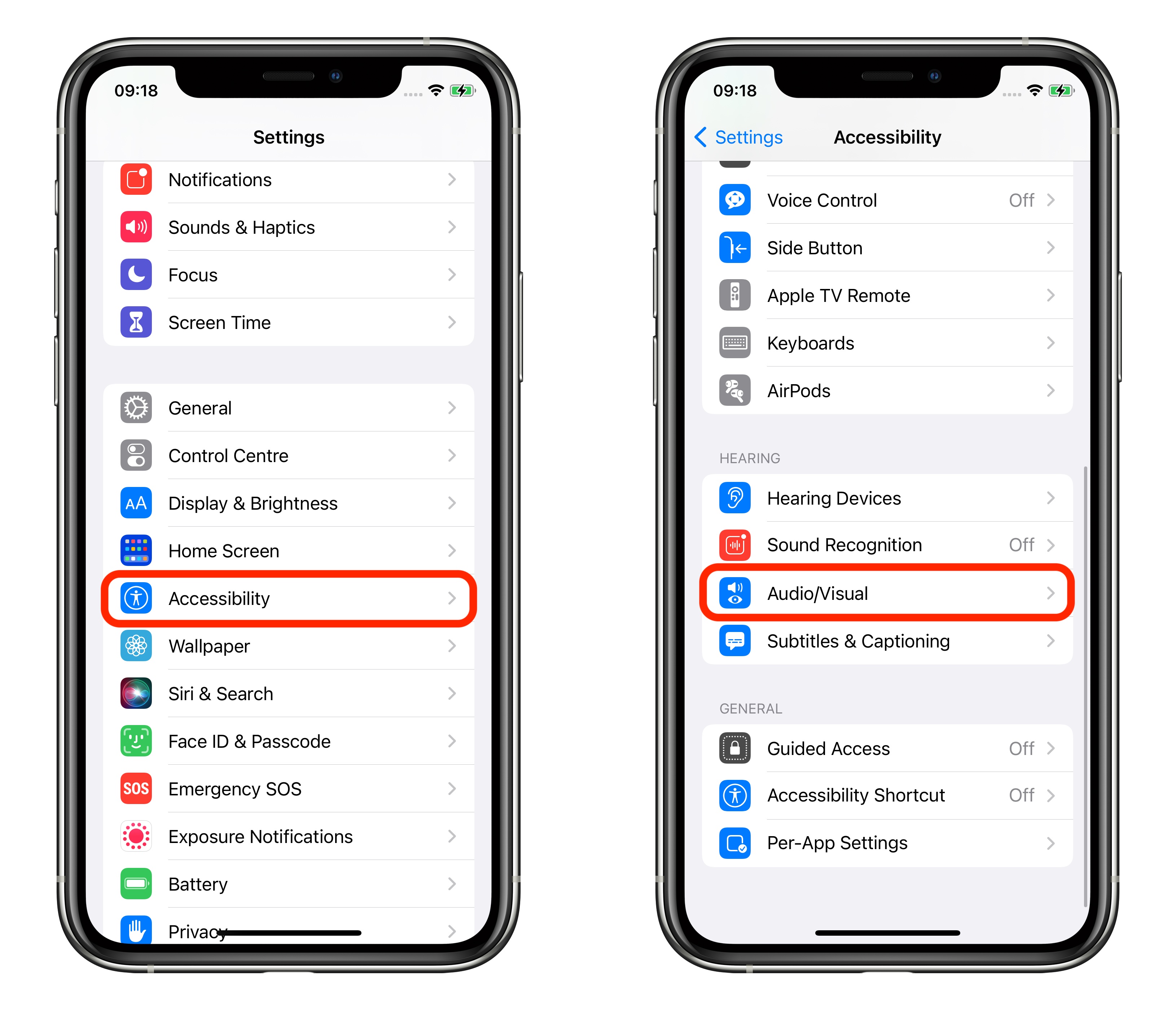
- Tap Background Sounds.
- Tap the switch to turn on Background Sounds.
- Tap Sound to choose a sound effect.
- Choose from Balanced Noise, Bright Noise, Dark Noise, Ocean, Rain, and Stream.
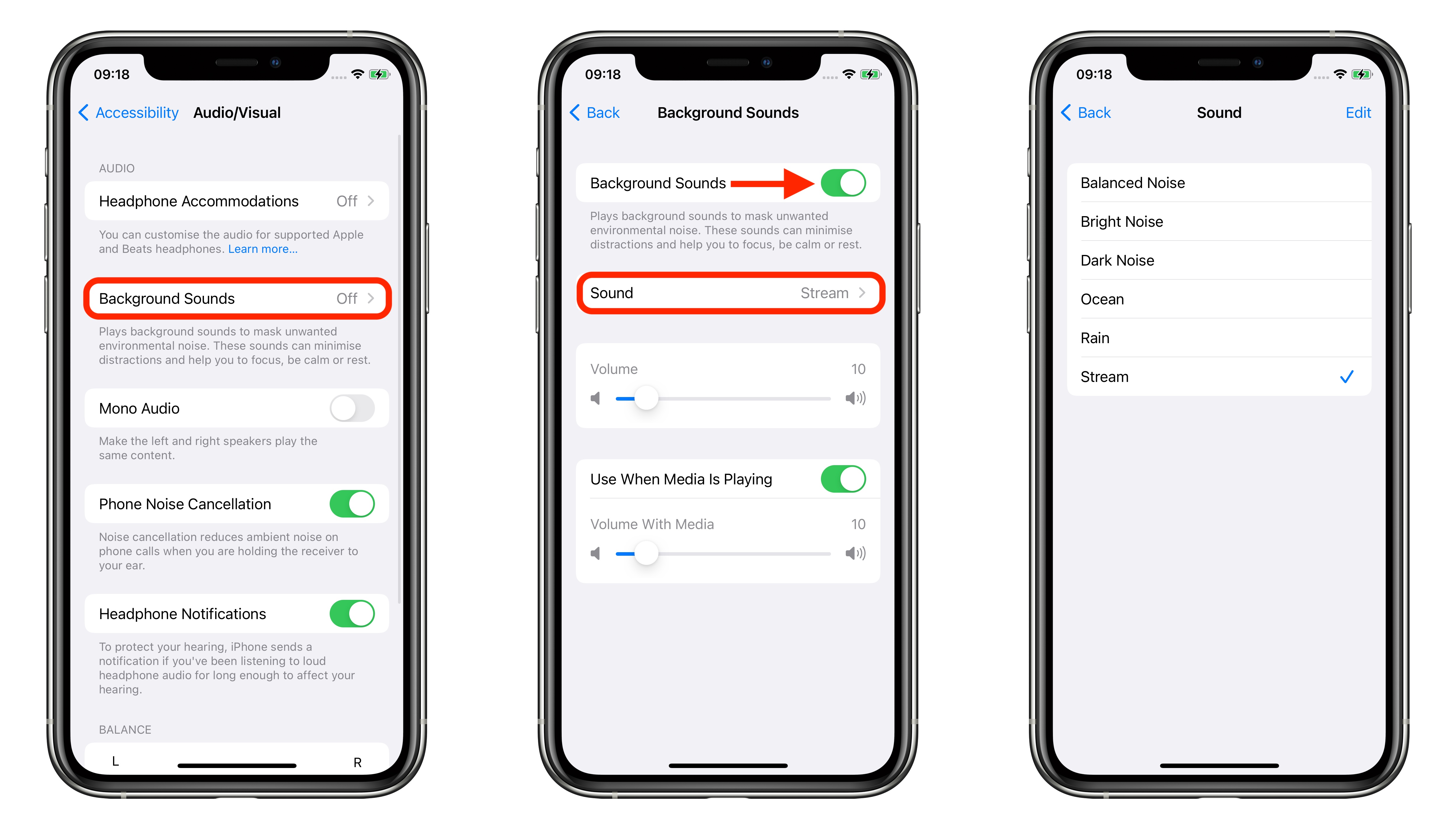
- Your device will need to download individual sound effects when you play them for the first time, so make sure you have an internet connection, but after that you can play the background sound whether or not you're online.
Related Roundups: iOS 15, iPadOS 15
Tag: accessibility
Related Forum: iOS 15
This article, "iOS 15: How to Use Background Sounds to Minimize Distractions and Stay Focused" first appeared on MacRumors.com
Discuss this article in our forums
Continue reading...