
M
MacRumors
Guest
Author: Tim Hardwick
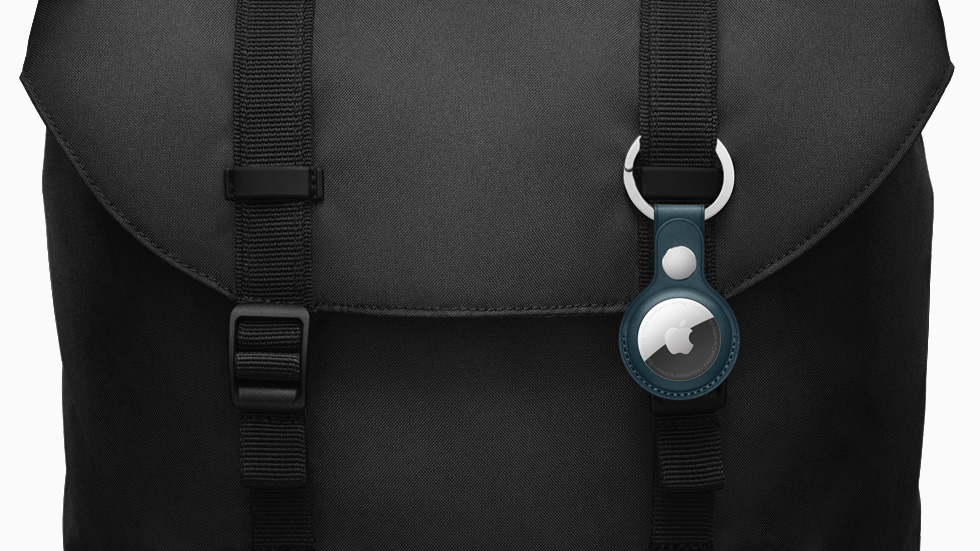
Apple's AirTags are small, button-shaped devices that are designed to be attached to items like keys and wallets to allow these accessories to be tracked using Bluetooth right alongside Apple devices in the Find My app.
If you've just set up a new AirTag, you'll want to know how to track it so that you can locate the attached item, should you misplace it. If your iPhone or iPad is running iOS 14.5/iPadOS 14.5 or later, you can use the Find My app to locate a missing AirTag that's linked to your Apple ID. Here's how.
How to View the Location of an AirTag Item
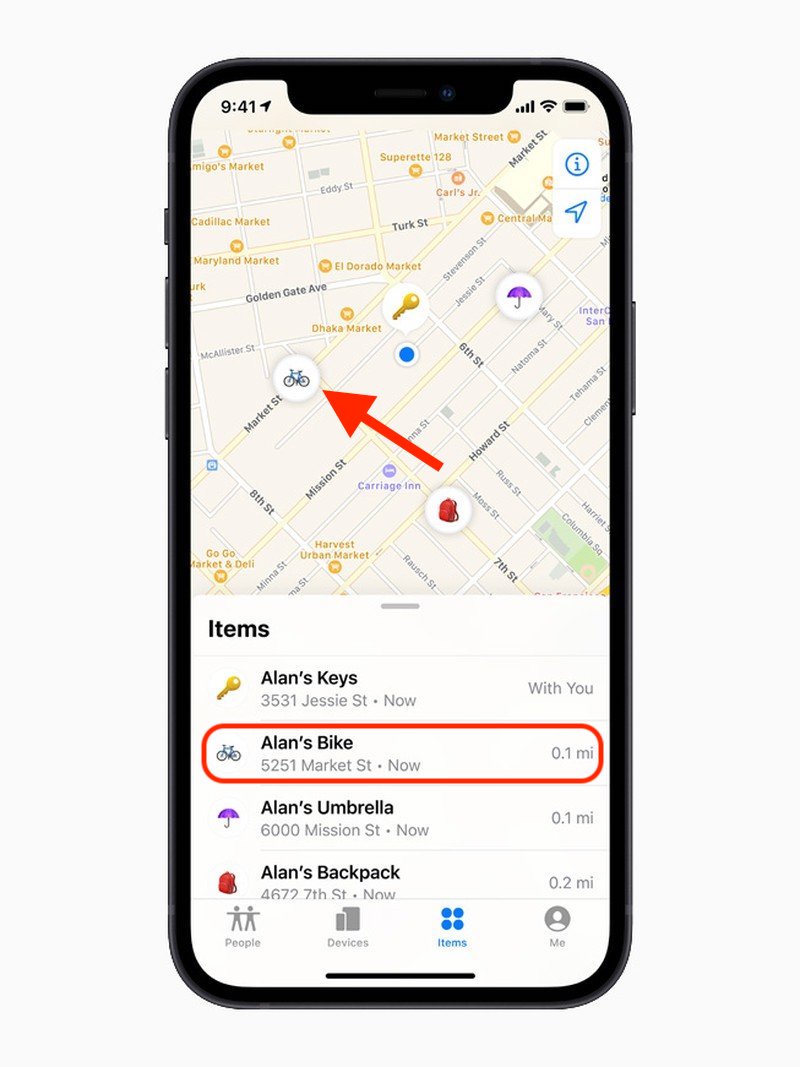
In the Find My app, tap Items, then tap the item that you want to locate.

Continue reading...
Apple's AirTags are small, button-shaped devices that are designed to be attached to items like keys and wallets to allow these accessories to be tracked using Bluetooth right alongside Apple devices in the Find My app.
If you've just set up a new AirTag, you'll want to know how to track it so that you can locate the attached item, should you misplace it. If your iPhone or iPad is running iOS 14.5/iPadOS 14.5 or later, you can use the Find My app to locate a missing AirTag that's linked to your Apple ID. Here's how.
How to View the Location of an AirTag Item
In the Find My app, tap Items, then tap the item that you want to locate.
- If the item can be located, it will appear on the map. You'll see the updated location and timestamp under the item's name.
- If the item can't be found, you'll see where and when it was last located. To receive a notification once it's located again, turn on Notify When Found under "Notifications."
How to Make an AirTag Play a Sound
If an AirTag is nearby, you can get it to play a sound so that you can locate it easier.- In the Find My app, tap Items.
- Tap the AirTag that you want to play a sound.
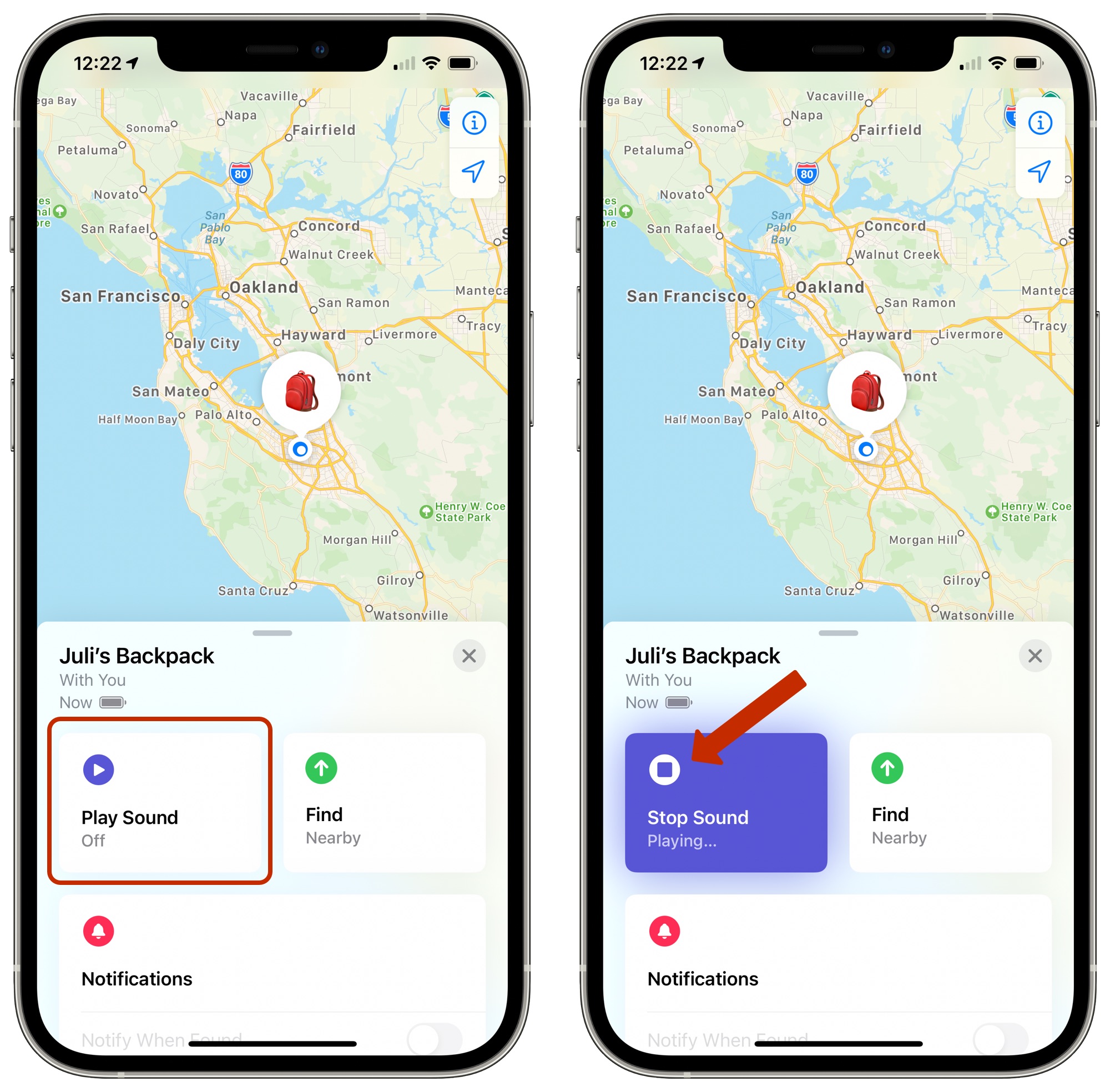
- Tap Play Sound.
You can also get map directions to an item's current or last known location, and if you have a supported iPhone and are near your AirTag, you can find its precise location.
Tag: AirTags
This article, "How to Locate an AirTag in Find My on iPhone" first appeared on MacRumors.com
Discuss this article in our forums
- In the Find My app, tap Items.
Continue reading...