
M
MacRumors
Guest
Author: Juli Clover
Apple in 2020 acquired popular weather app Dark Sky, and in iOS 15 some of those Dark Sky features have been incorporated into the official app. Apple's Weather app has received a major design overhaul in iOS 15, making it a much better weather resource.
Design Overhaul
The Weather app in iOS 15 has an updated design that makes it easier than ever to see the information that you want to know at a glance. The Weather app adopts the card-style interface that's also been used for the Settings app, separating different information into sections.
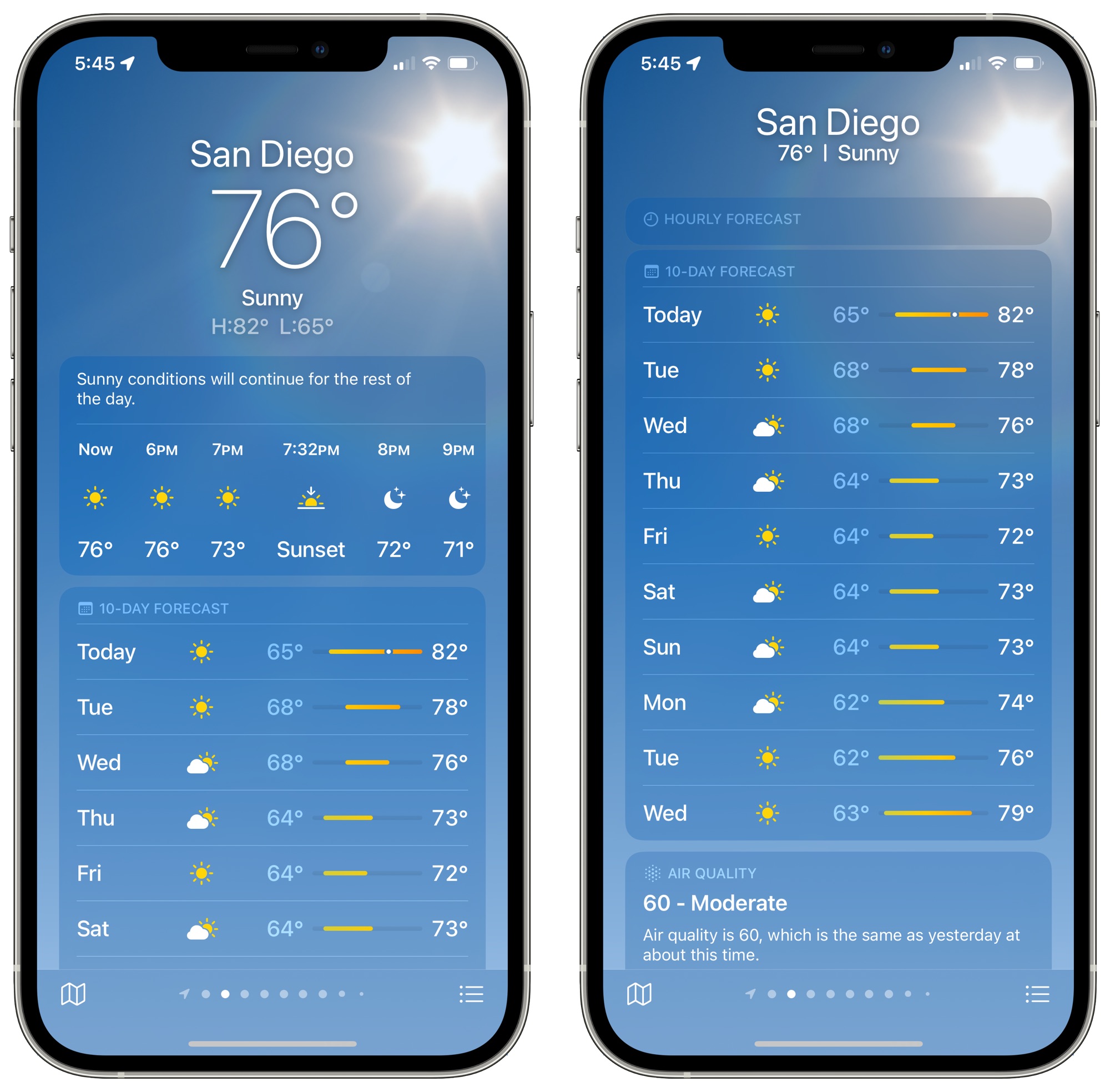
There continues to be a main view with the weather conditions on an hourly basis that you can shift through, and a new 10-day forecast view lets you know what weather you can expect in the future. The updated 10-day forecast shows expected conditions and has a bar that makes it easier to see the temperature over time at a glance.
Scrolling down through the Weather app will bring you to new weather modules, where new graphical weather data has been added. There are modules for air quality, temperature, UV index, sunset and sunrise, wind, precipitation, humidity, visibility, and pressure.
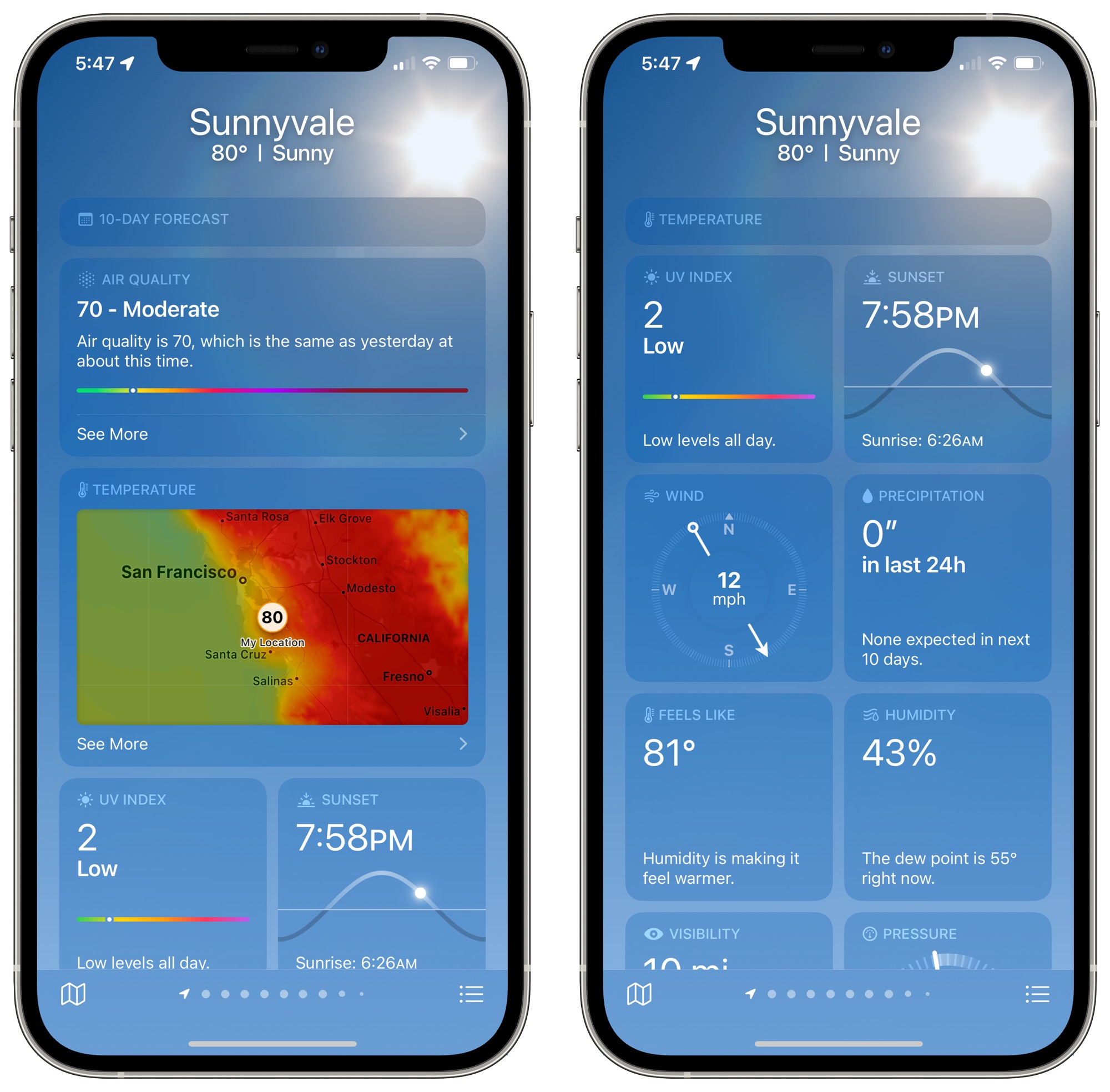
For each of these modules, Apple provides graphics, context, and more information than was previously made available. Apple shows the specific direction of the wind, for example, and provides details like when precipitation is next expected, what the UV level will be like throughout the day, temperature adjusted for humidity, dew point, and more.
Weather Maps
Apple in iOS 15 added full-screen weather maps that provide overview data on expected precipitation, air quality, and temperature. You can get to the maps by tapping on the default temperature map and then tapping on the stack to change the view to precipitation or air quality.
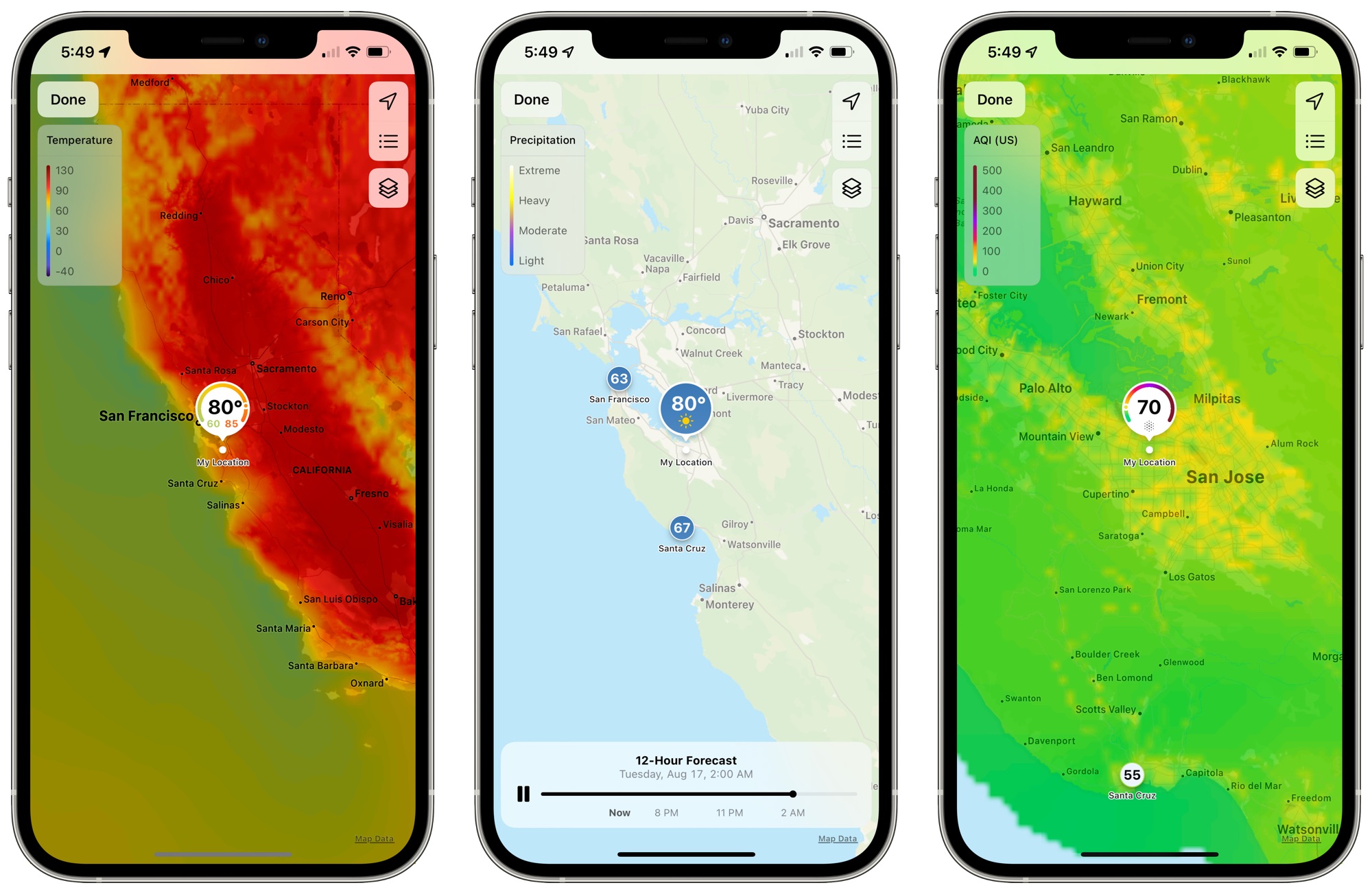
There's also an option to access the weather maps from anywhere by tapping on the small folded map icon in the bottom left corner of the app.
The precipitation maps are animated and show the path of incoming storms and the intensity of rain and snow, while the air quality and temperature maps let you see the conditions in your area and the surrounding areas. You can zoom in or out as far as necessary.
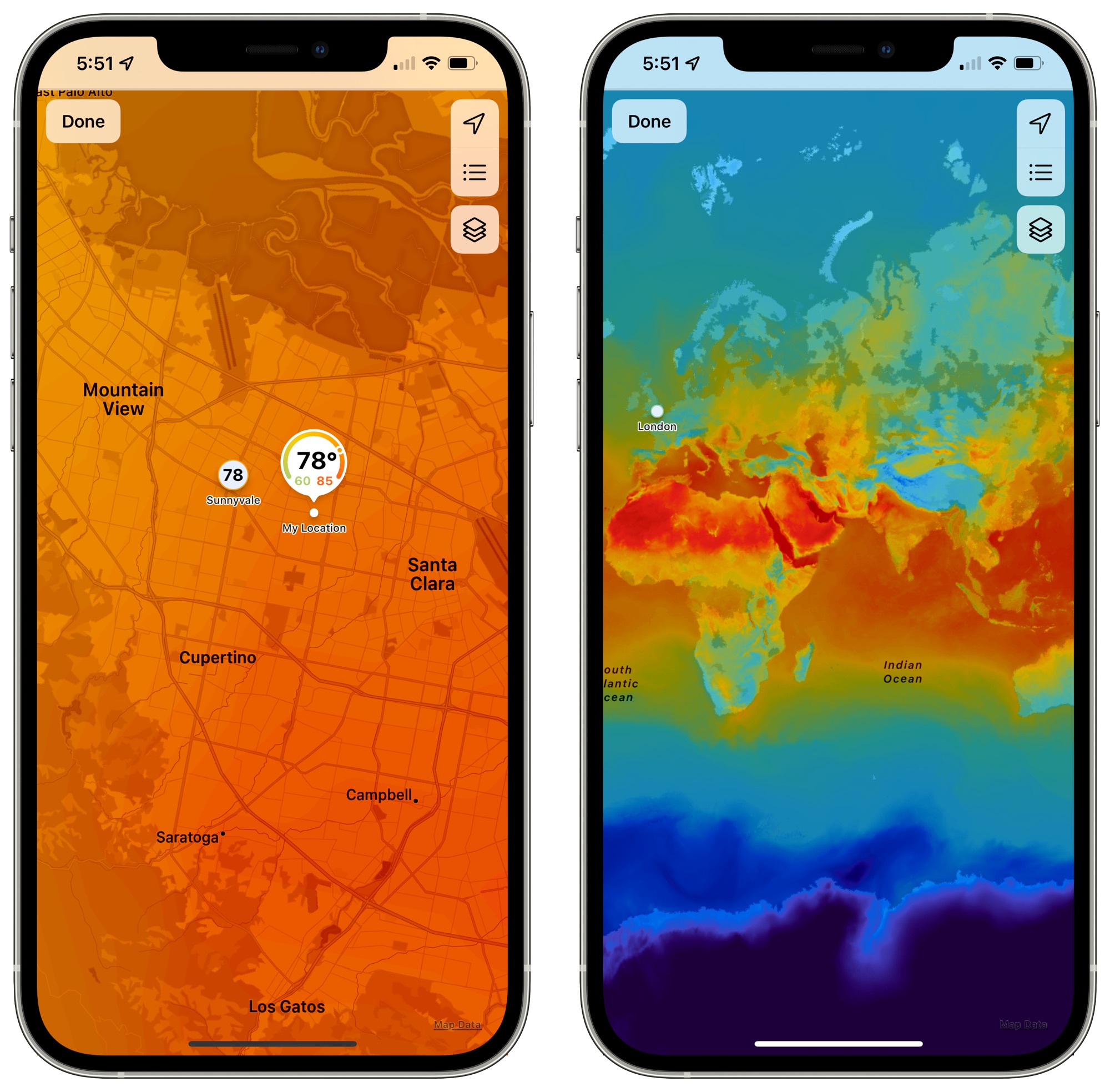
Air Quality information is limited to Canada, China mainland, Germany, France, India, Italy, Mexico, Netherlands, South Korea, Spain, UK, and the United States.
Next-Hour Precipitation
When it's going to rain, snow, or hail in the next hour, you can sign up for next-hour precipitation notifications to get a heads up.
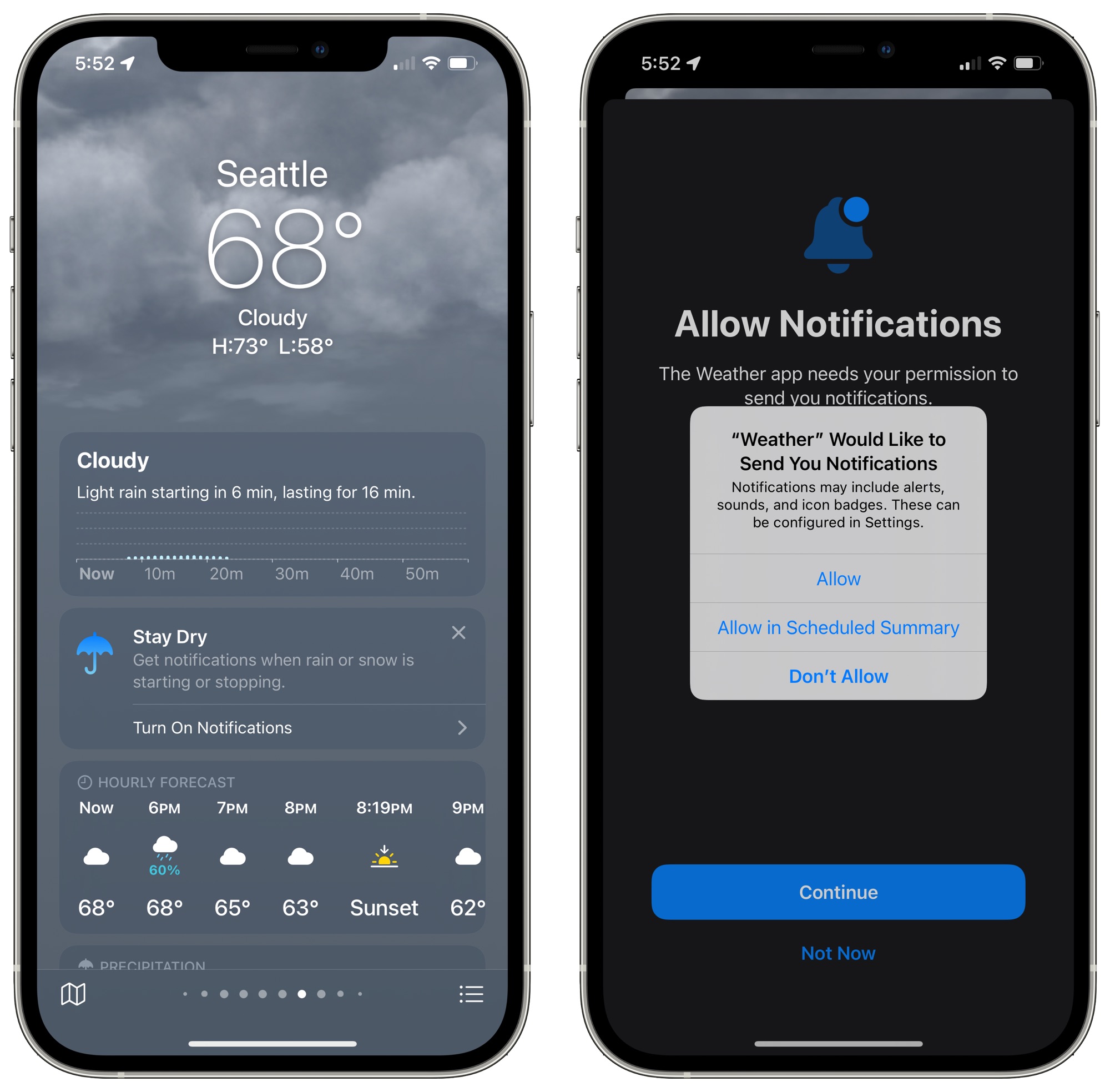
Next-hour precipitation notifications are available in the United States, the UK, and Ireland.
Animated Backgrounds
To go along with the updated design in the Weather app, Apple offers thousands of new animated backgrounds that provide more information on sun position, rain, clouds, storms, and other weather phenomena. Backgrounds change throughout the day and the night and shift based on weather patterns.
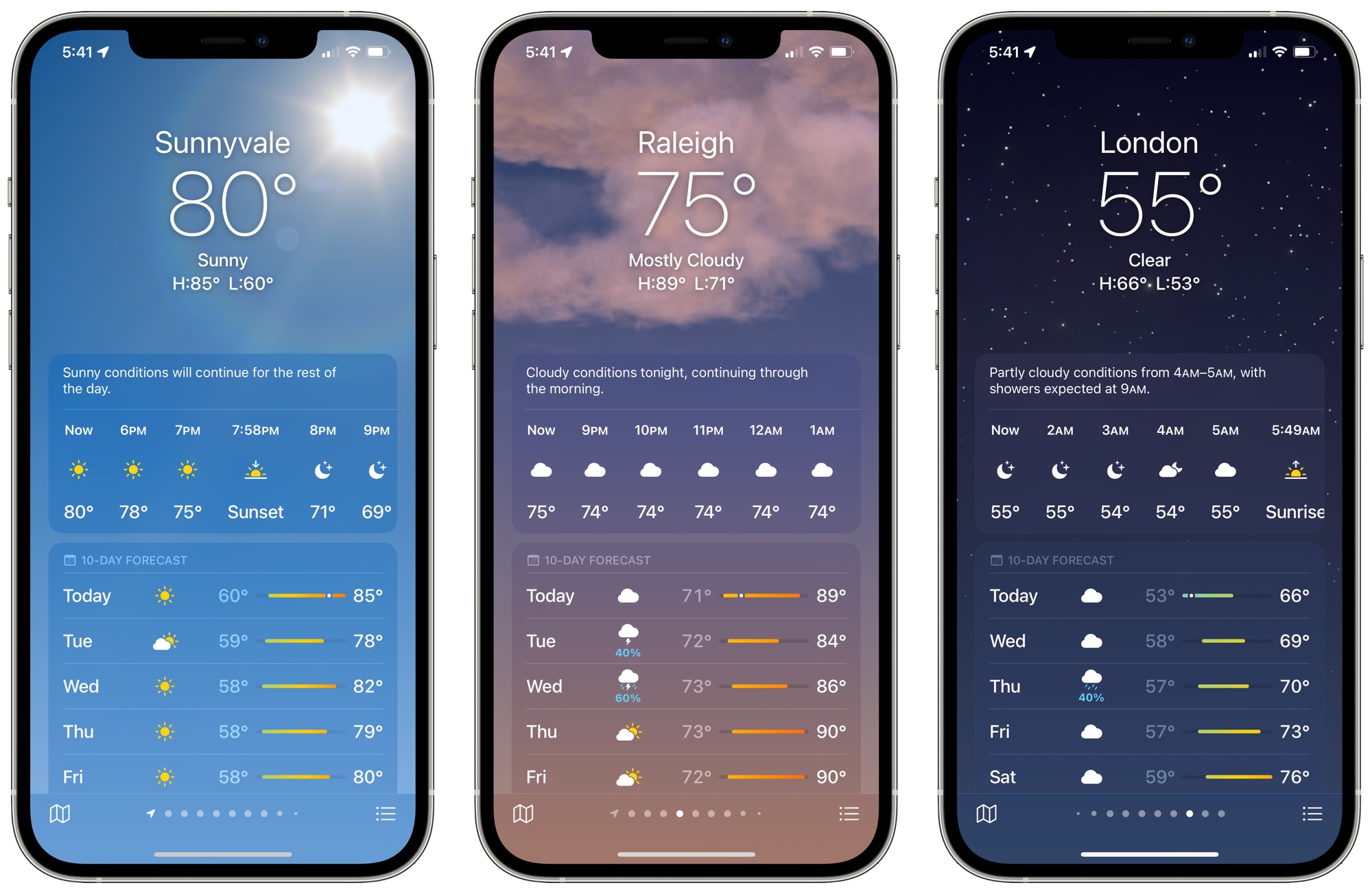
Animated backgrounds are available on all devices with an A12 Bionic chip or later. Earlier iPhones will not have access to the more detailed animations.
Guide Feedback
Have questions about the new Weather app features in iOS 15, know of a feature we left out, or want to offer feedback on this guide? Send us an email here.
Related Roundups: iOS 15, iPadOS 15
Related Forum: iOS 15
This article, "Everything New in the iOS 15 Weather App" first appeared on MacRumors.com
Discuss this article in our forums


Continue reading...
Apple in 2020 acquired popular weather app Dark Sky, and in iOS 15 some of those Dark Sky features have been incorporated into the official app. Apple's Weather app has received a major design overhaul in iOS 15, making it a much better weather resource.
Design Overhaul
The Weather app in iOS 15 has an updated design that makes it easier than ever to see the information that you want to know at a glance. The Weather app adopts the card-style interface that's also been used for the Settings app, separating different information into sections.
There continues to be a main view with the weather conditions on an hourly basis that you can shift through, and a new 10-day forecast view lets you know what weather you can expect in the future. The updated 10-day forecast shows expected conditions and has a bar that makes it easier to see the temperature over time at a glance.
Scrolling down through the Weather app will bring you to new weather modules, where new graphical weather data has been added. There are modules for air quality, temperature, UV index, sunset and sunrise, wind, precipitation, humidity, visibility, and pressure.
For each of these modules, Apple provides graphics, context, and more information than was previously made available. Apple shows the specific direction of the wind, for example, and provides details like when precipitation is next expected, what the UV level will be like throughout the day, temperature adjusted for humidity, dew point, and more.
Weather Maps
Apple in iOS 15 added full-screen weather maps that provide overview data on expected precipitation, air quality, and temperature. You can get to the maps by tapping on the default temperature map and then tapping on the stack to change the view to precipitation or air quality.
There's also an option to access the weather maps from anywhere by tapping on the small folded map icon in the bottom left corner of the app.
The precipitation maps are animated and show the path of incoming storms and the intensity of rain and snow, while the air quality and temperature maps let you see the conditions in your area and the surrounding areas. You can zoom in or out as far as necessary.
Air Quality information is limited to Canada, China mainland, Germany, France, India, Italy, Mexico, Netherlands, South Korea, Spain, UK, and the United States.
Next-Hour Precipitation
When it's going to rain, snow, or hail in the next hour, you can sign up for next-hour precipitation notifications to get a heads up.
Next-hour precipitation notifications are available in the United States, the UK, and Ireland.
Animated Backgrounds
To go along with the updated design in the Weather app, Apple offers thousands of new animated backgrounds that provide more information on sun position, rain, clouds, storms, and other weather phenomena. Backgrounds change throughout the day and the night and shift based on weather patterns.
Animated backgrounds are available on all devices with an A12 Bionic chip or later. Earlier iPhones will not have access to the more detailed animations.
Guide Feedback
Have questions about the new Weather app features in iOS 15, know of a feature we left out, or want to offer feedback on this guide? Send us an email here.
Related Roundups: iOS 15, iPadOS 15
Related Forum: iOS 15
This article, "Everything New in the iOS 15 Weather App" first appeared on MacRumors.com
Discuss this article in our forums
Continue reading...