
M
MacRumors
Guest
Author: Juli Clover
Apple today released the fourth betas of iOS 15 and iPadOS 15, introducing additional refinements to the new features that are coming in the software updates. In these betas, Apple has introduced changes for Safari, Notifications, Focus mode, and more.
Safari Updates
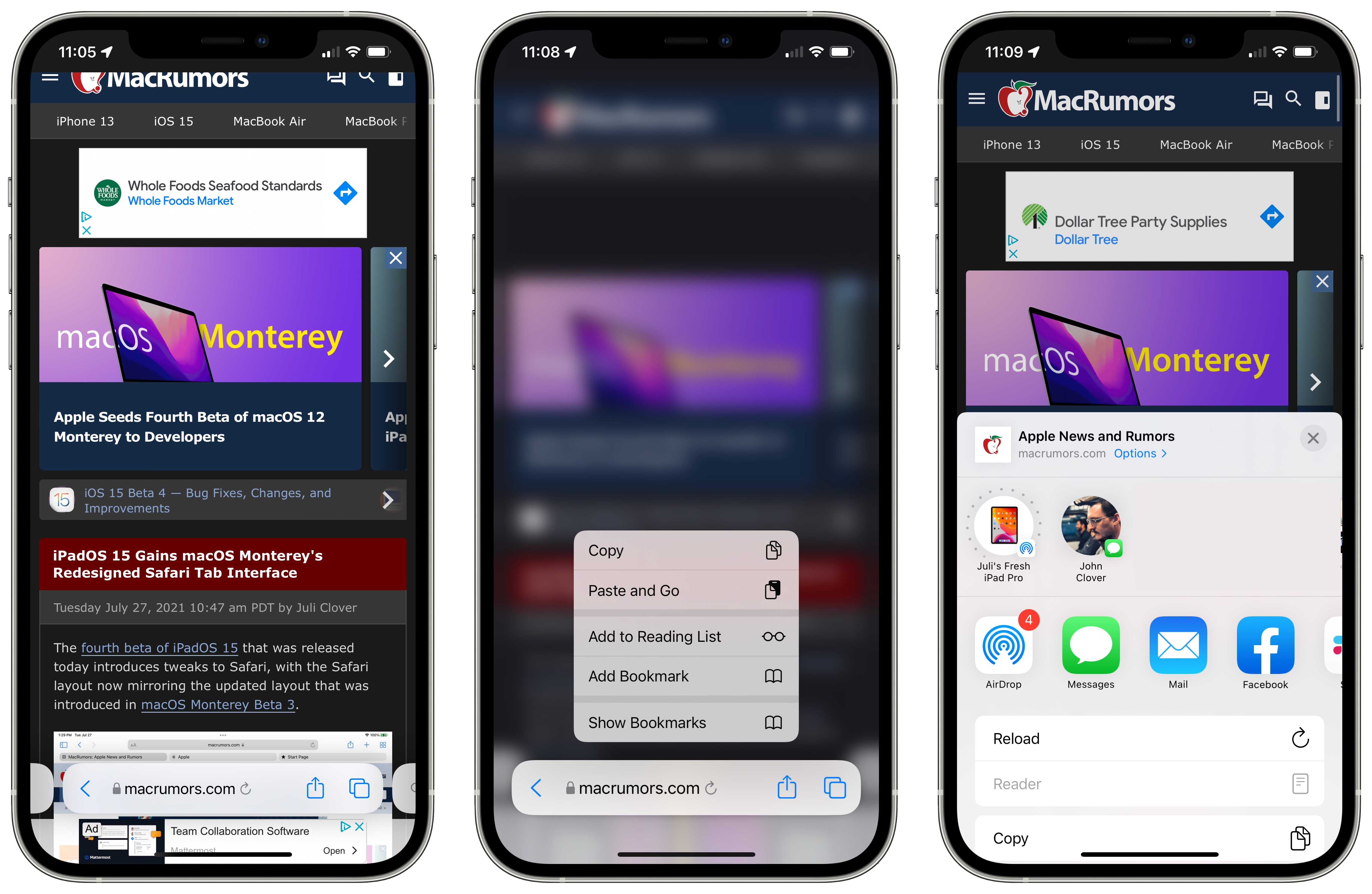
Apple is continuing to refine the design of Safari on the iPhone, and in iOS 15, there are tweaks to improve usability.
Share Button
The dedicated Share button for sending an article to someone has been relocated to the tab bar again, replacing the prior info button.
Reload
There's once again a reload button available next to the domain name for quick access to reloading a page. Apple had removed this in a prior beta and made it a long press gesture. Reload can also be accessed through the Share button.
Show Bookmarks
When you long press on the URL bar, there's now an option to "Show Bookmarks," which makes it much easier to get to your bookmarks.
Reader Mode
When Reader Mode is available on a website, there's now a little icon that can be tapped to enter into it. Reader mode is also accessible through the Share interface.
iPadOS 15
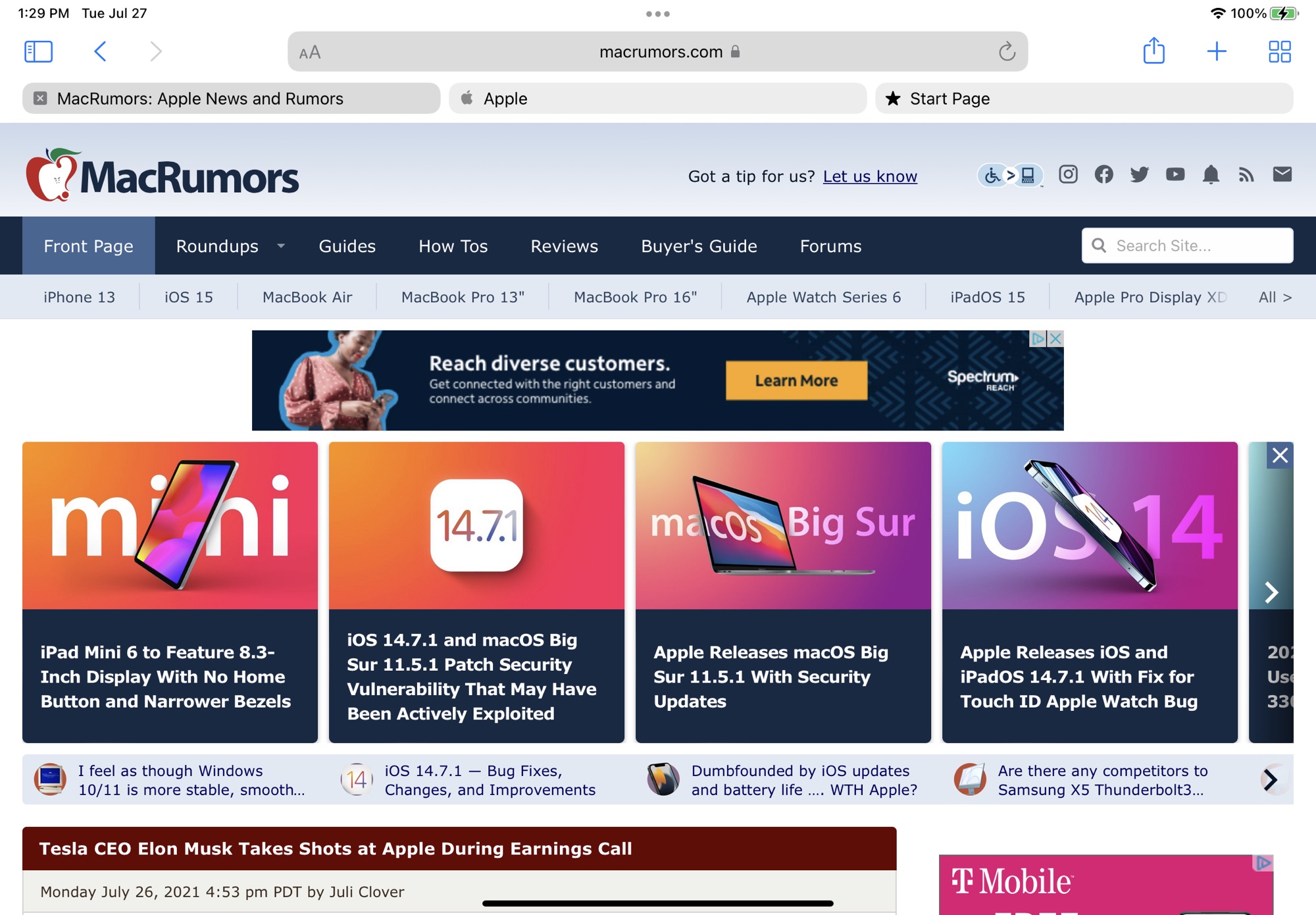
Apple has also updated the design of Safari on the iPad, bringing it in line with the macOS Monterey Safari design. macOS Monterey on Safari now includes a separate tab bar option.
MagSafe Battery Pack Support
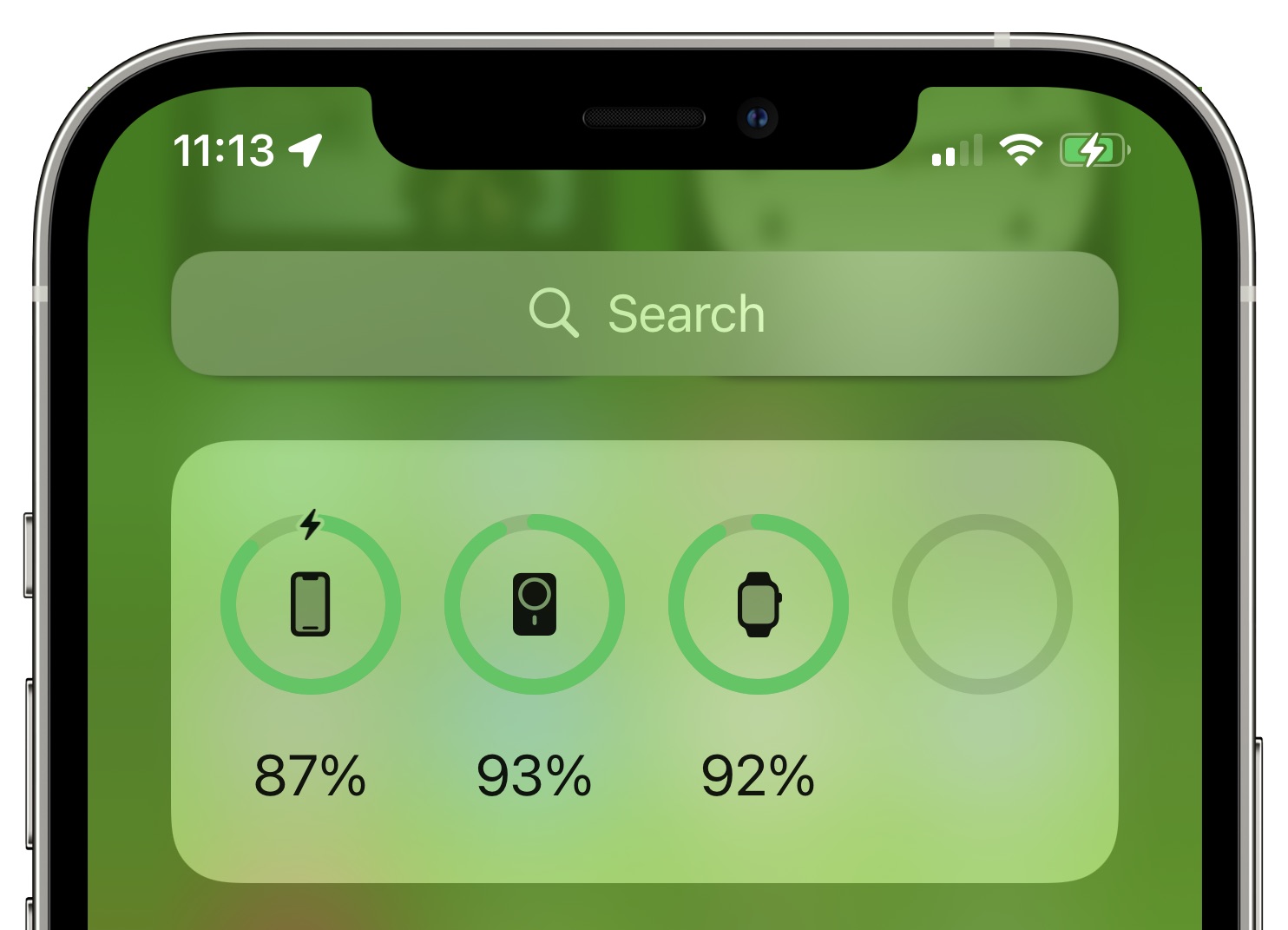
Support for the MagSafe Battery Pack has been added in iOS 15 beta 4, so if you have one of the new accessories, it now shows up in the Battery widget and in the Settings app.
Lock Screen Camera Icon
Apple has very slightly tweaked the design of the Lock Screen Camera icon, removing the button on the left side and increasing the size of the flash and the lens ring.

Old icon on left, new icon on right
Shortcuts
Shortcuts has gained a "Return to Home Screen" action that can be used in automations.
Notifications
The Notifications icon in the Settings app has been updated with a new look.
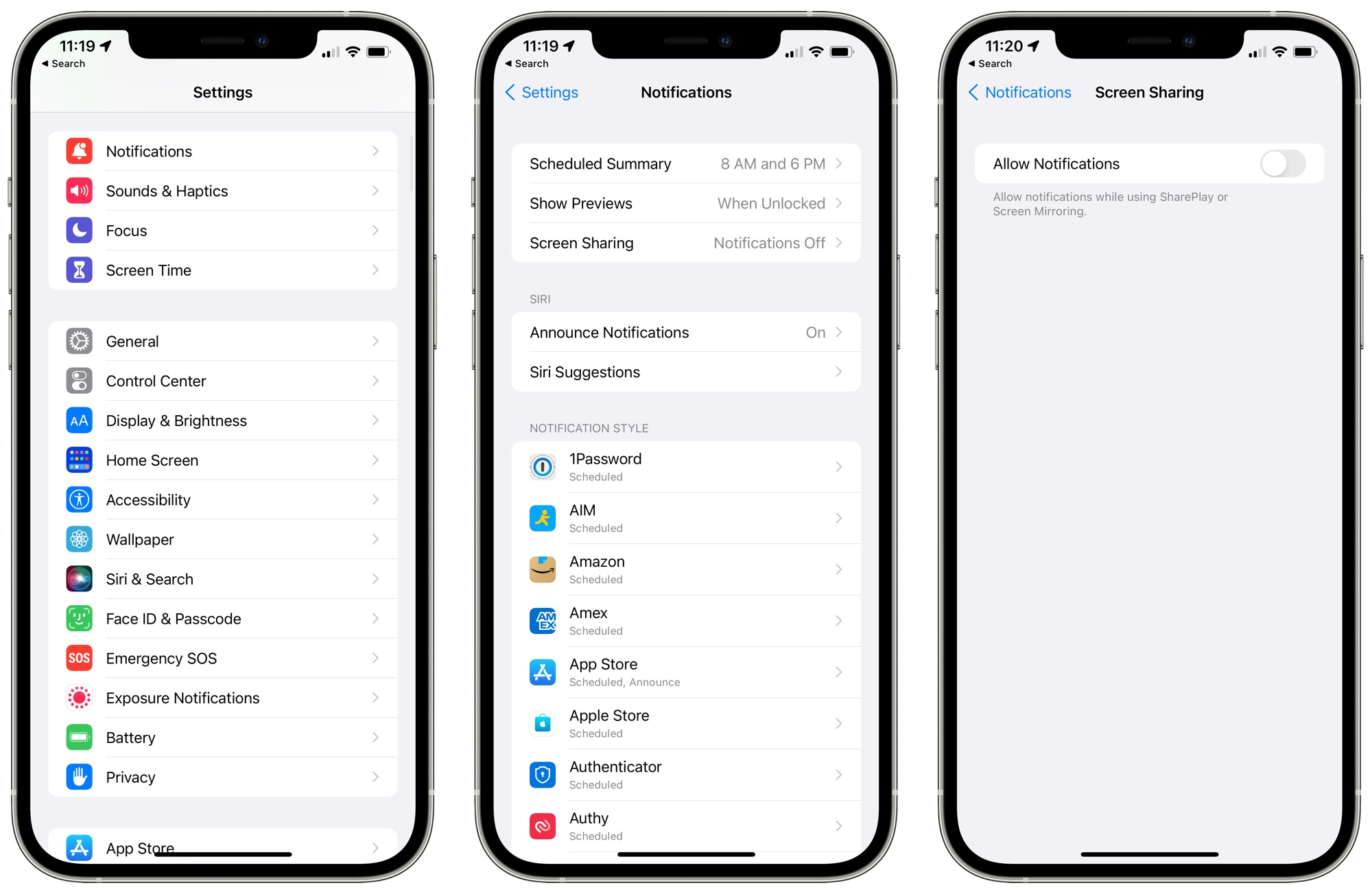
Apple has also added a new toggle for disabling notifications when Screen Sharing or Screen Mirroring.
Share Focus Status
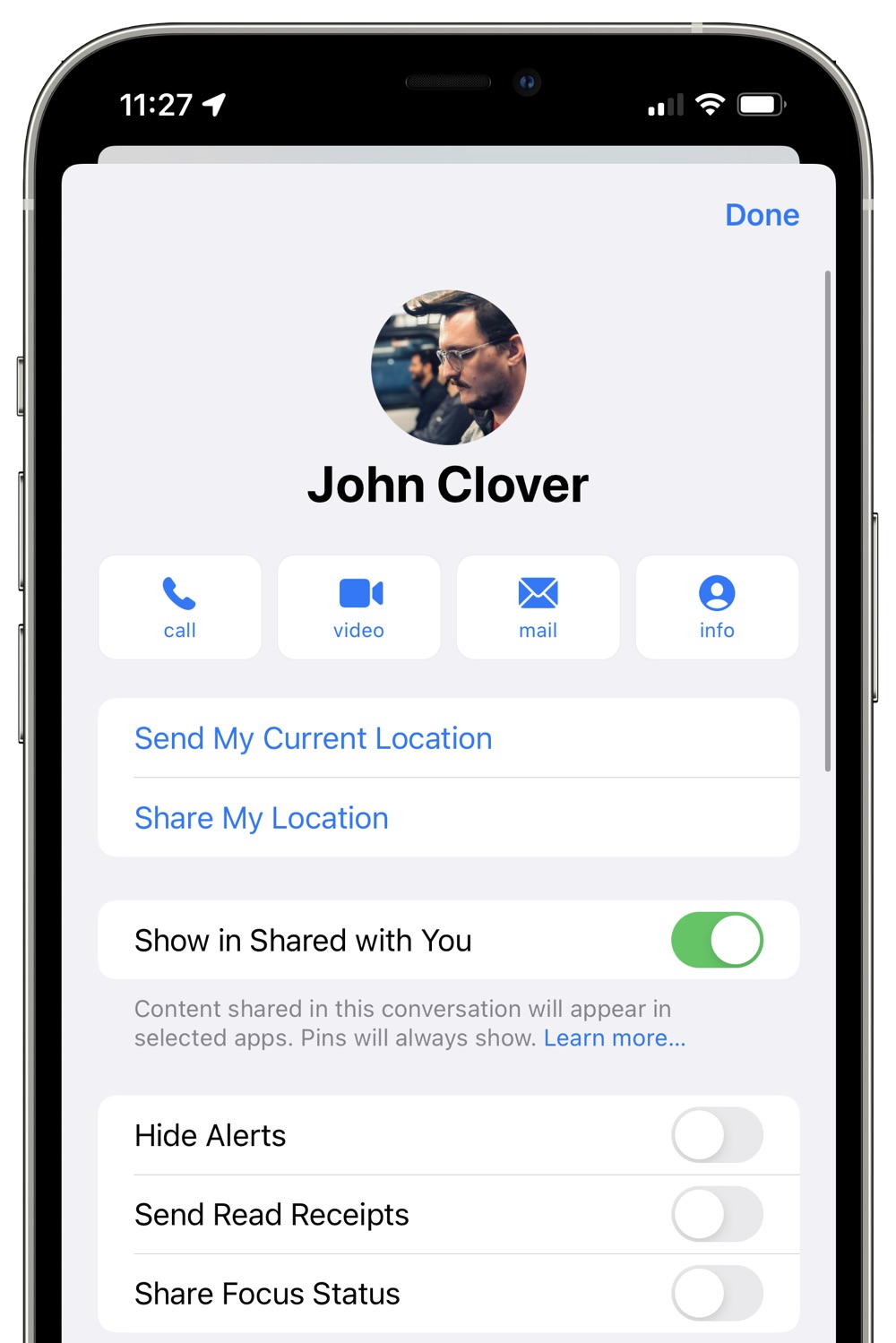
In the Messages app, you can tap on a contact's name and choose whether or not to share your Focus status with them.
App Store Account Design
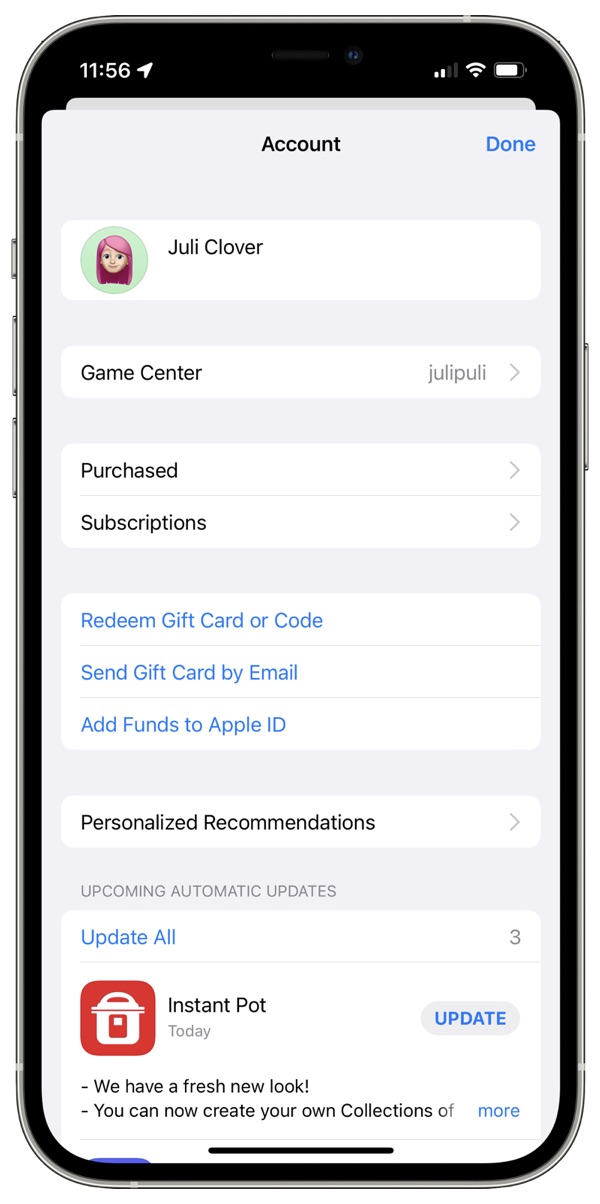
Apple is now using its new settings layout in for the App Store account section, with rounded edges and separate sections for each account option.
More Features
Know of a feature that we left out? Let us know in the comments.
Related Roundups: iOS 15, iPadOS 15
Related Forum: iOS 15
This article, "Everything New in iOS 15 Beta 4: Safari Tweaks, MagSafe Battery Pack Support, Notification Updates and More" first appeared on MacRumors.com
Discuss this article in our forums


Continue reading...
Apple today released the fourth betas of iOS 15 and iPadOS 15, introducing additional refinements to the new features that are coming in the software updates. In these betas, Apple has introduced changes for Safari, Notifications, Focus mode, and more.
Safari Updates
Apple is continuing to refine the design of Safari on the iPhone, and in iOS 15, there are tweaks to improve usability.
Share Button
The dedicated Share button for sending an article to someone has been relocated to the tab bar again, replacing the prior info button.
Reload
There's once again a reload button available next to the domain name for quick access to reloading a page. Apple had removed this in a prior beta and made it a long press gesture. Reload can also be accessed through the Share button.
Show Bookmarks
When you long press on the URL bar, there's now an option to "Show Bookmarks," which makes it much easier to get to your bookmarks.
Reader Mode
When Reader Mode is available on a website, there's now a little icon that can be tapped to enter into it. Reader mode is also accessible through the Share interface.
iPadOS 15
Apple has also updated the design of Safari on the iPad, bringing it in line with the macOS Monterey Safari design. macOS Monterey on Safari now includes a separate tab bar option.
MagSafe Battery Pack Support
Support for the MagSafe Battery Pack has been added in iOS 15 beta 4, so if you have one of the new accessories, it now shows up in the Battery widget and in the Settings app.
Lock Screen Camera Icon
Apple has very slightly tweaked the design of the Lock Screen Camera icon, removing the button on the left side and increasing the size of the flash and the lens ring.
Old icon on left, new icon on right
Shortcuts
Shortcuts has gained a "Return to Home Screen" action that can be used in automations.
Notifications
The Notifications icon in the Settings app has been updated with a new look.
Apple has also added a new toggle for disabling notifications when Screen Sharing or Screen Mirroring.
Share Focus Status
In the Messages app, you can tap on a contact's name and choose whether or not to share your Focus status with them.
App Store Account Design
Apple is now using its new settings layout in for the App Store account section, with rounded edges and separate sections for each account option.
More Features
Know of a feature that we left out? Let us know in the comments.
Related Roundups: iOS 15, iPadOS 15
Related Forum: iOS 15
This article, "Everything New in iOS 15 Beta 4: Safari Tweaks, MagSafe Battery Pack Support, Notification Updates and More" first appeared on MacRumors.com
Discuss this article in our forums
Continue reading...