
M
MacRumors
Guest
Author: Juli Clover
Apple today released the third betas of iOS 15 and iPadOS 15, and the company is continuing to refine the suite of new features that are coming in the update. There have been multiple complaints about Safari on iOS, so in the third beta, Apple has introduced some refinements.
This article covers everything that's new in the third beta of iOS 15.
Safari Search
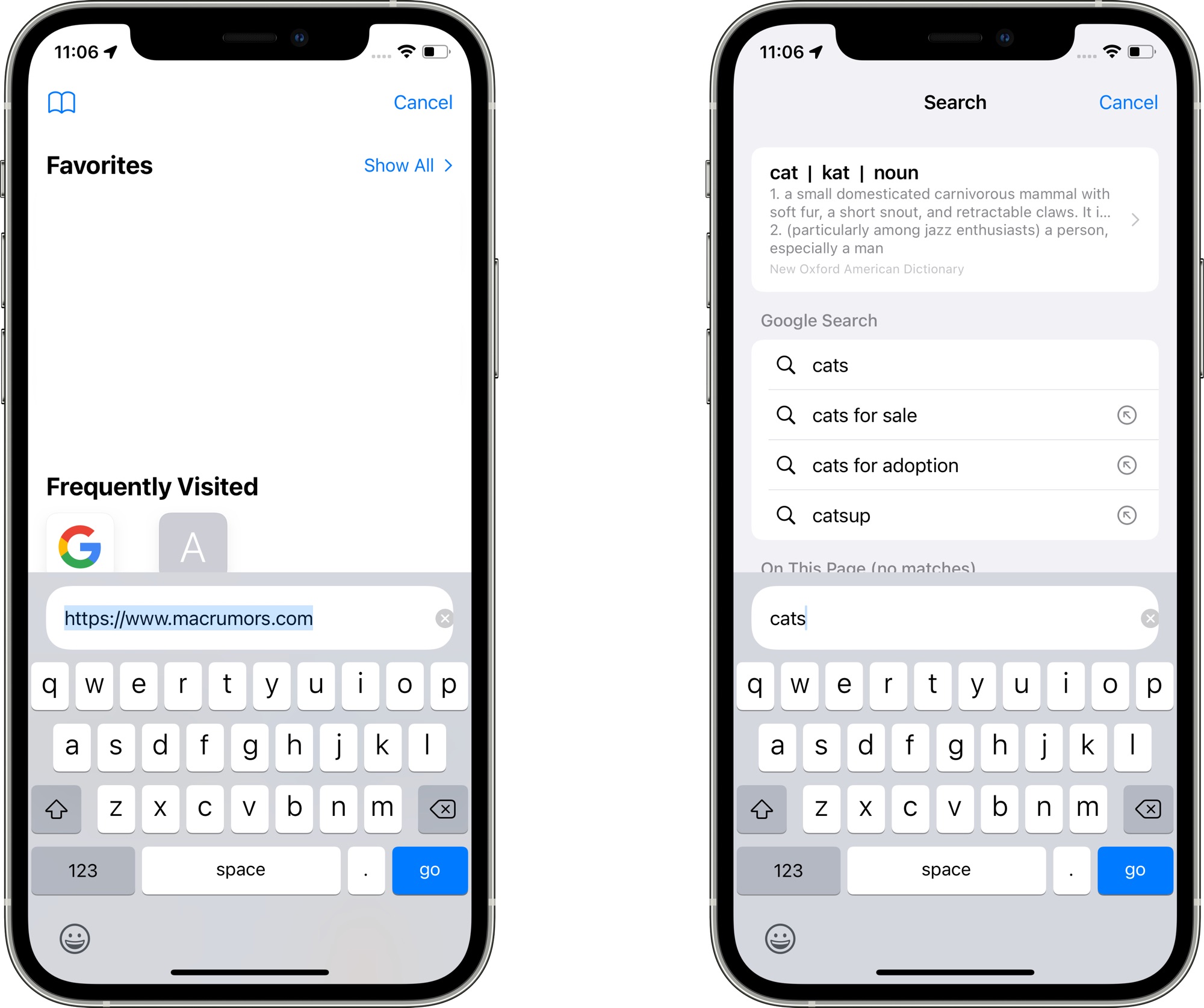
When you tap into a URL bar on a Safari tab, the interface for entering another URL or a search term has been relocated to above the keyboard. Previously, it was located at the top of the start page. The search interface has also been streamlined.
Safari Reload
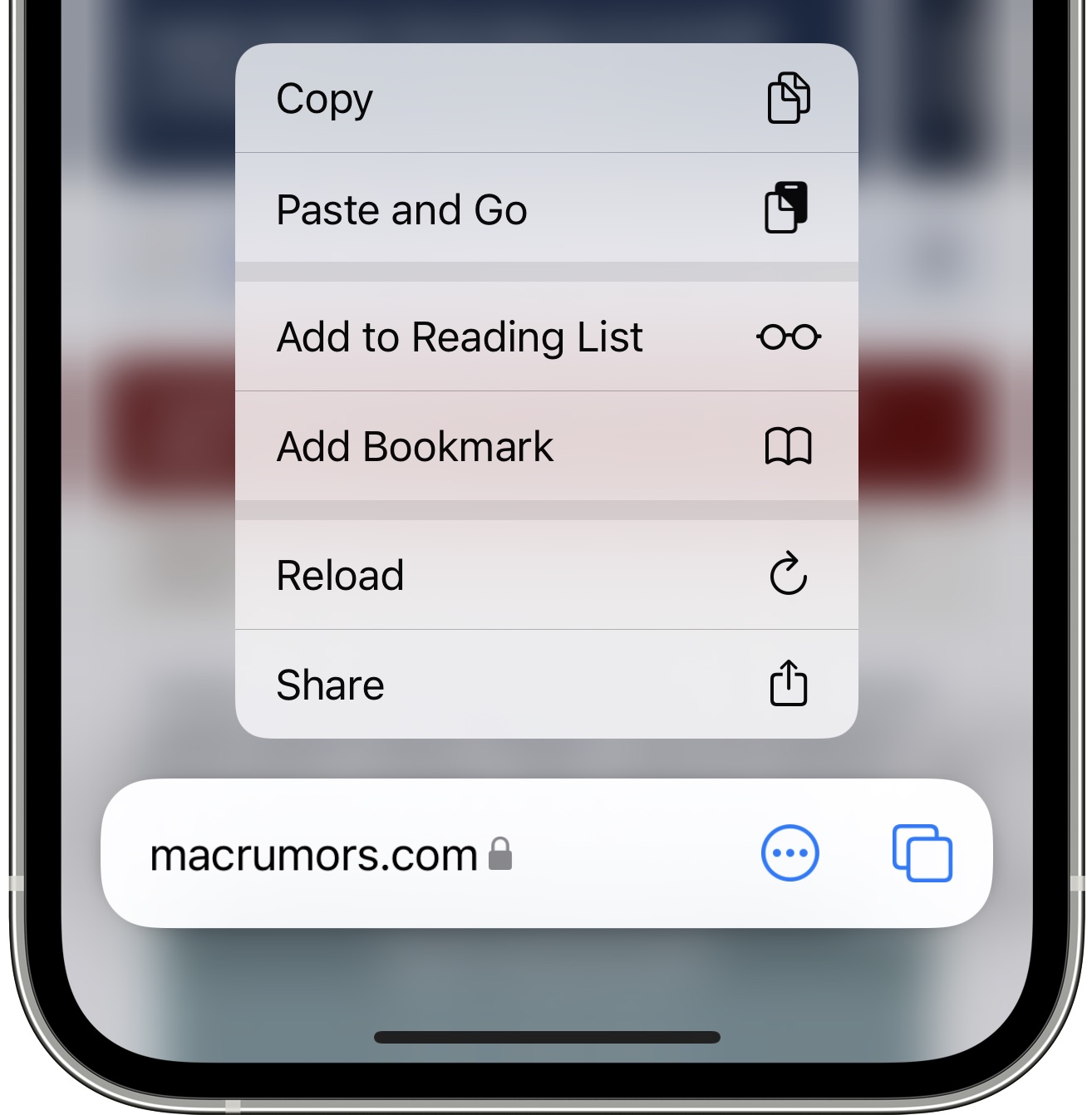
There's now an option to long press on a floating tab bar to initiate a reload, which is an alternative to using the built-in menu option.
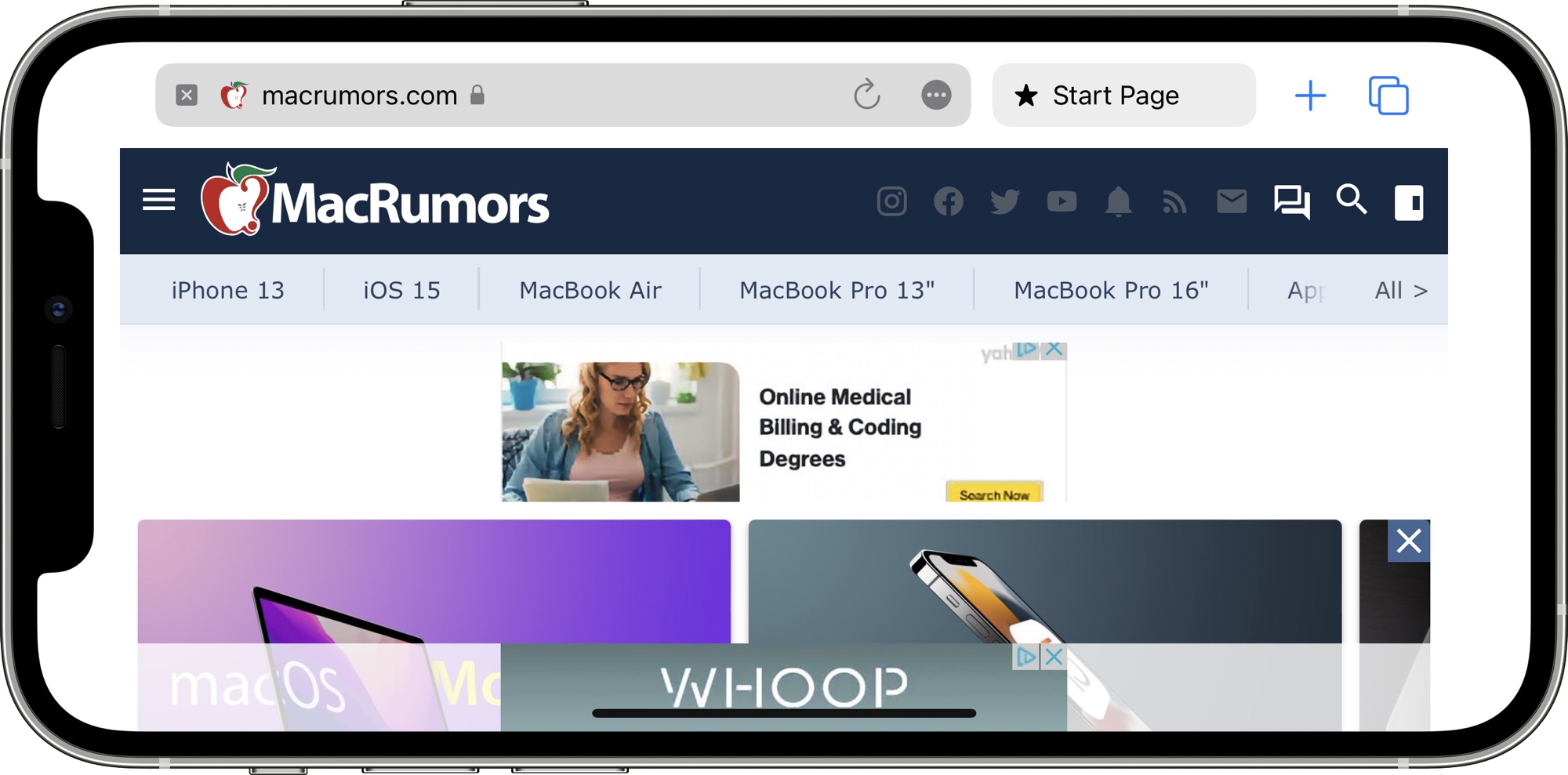
When you reload a tab in Safari, the tab gets a permanent reload icon that can then be tapped to refresh again. The reload icon is only available in portrait mode on iPhone, but it shows up in both portrait and landscape mode on iPad. Making the button appear requires an initial reload, something that Apple may streamline in the future.
App Store Splash Screen
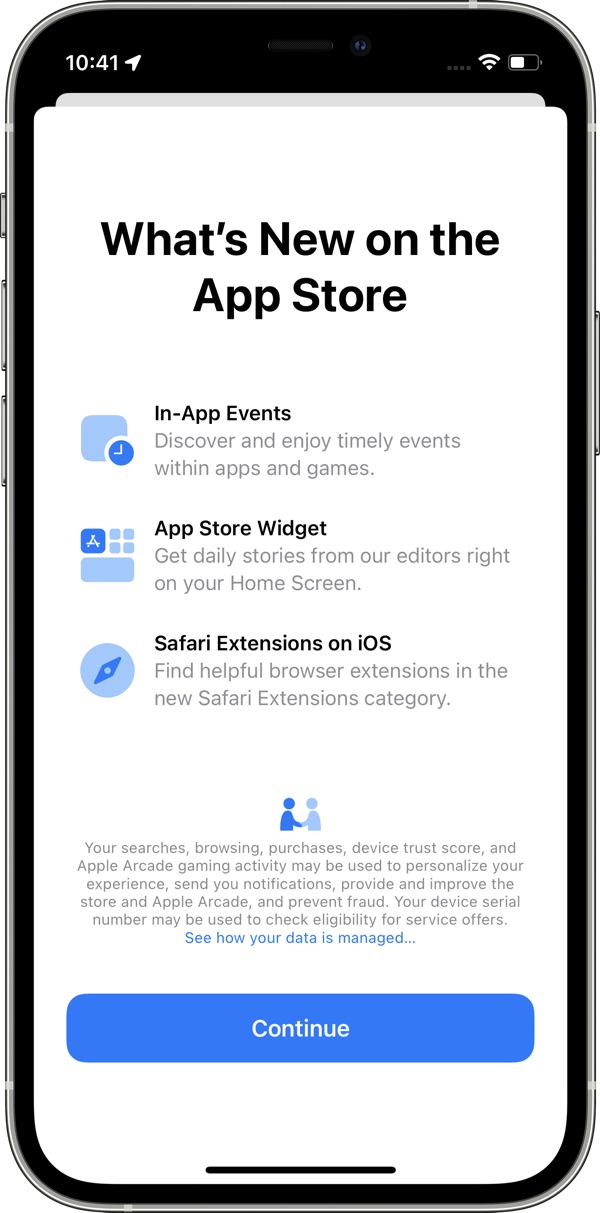
There is a new App Store splash screen that highlights new features available in the App Store in iOS 15 such as in-app events in apps and games, the App Store widget, and Safari Extensions on iOS.
Focus Updates
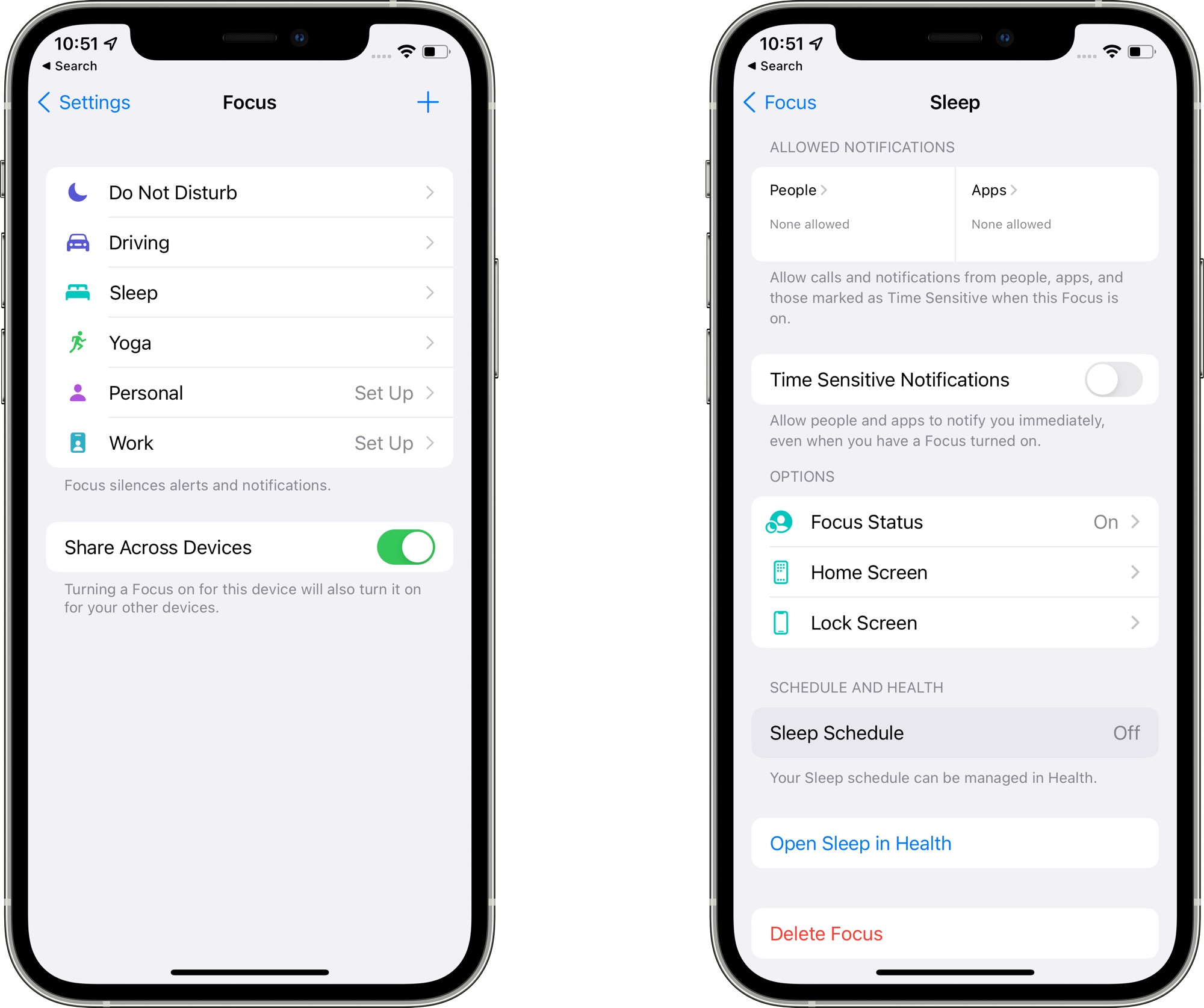
In the Focus interface in the Settings app, Apple has removed the Focus Status and Phone Calls options from the main interface, relocating them into each Focus section.
Apple Music Widget
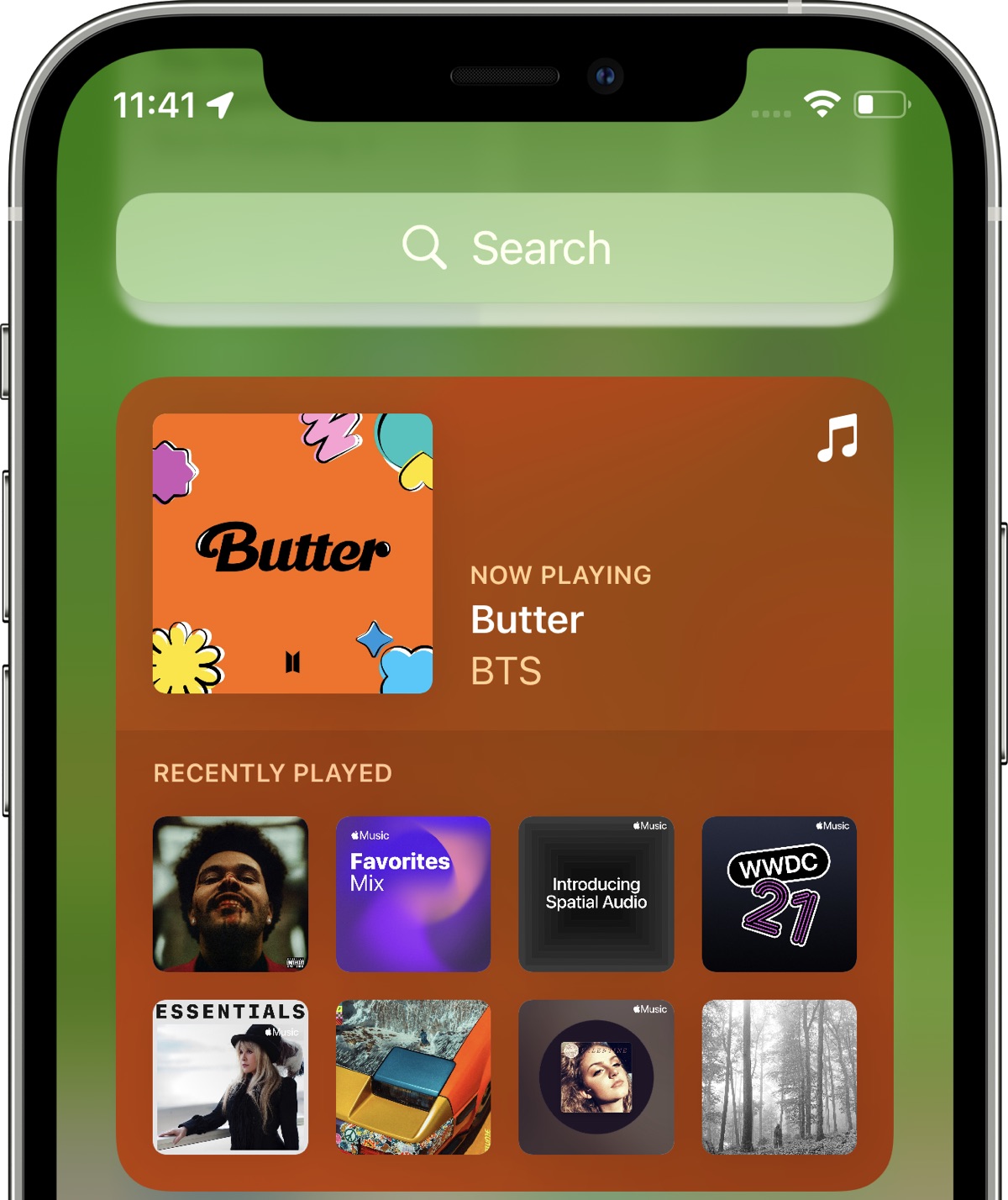
The Apple Music widget now changes color and art based on the individual song that's playing rather than using album art. It's also more clear when a song is playing and when it's paused thanks to a new "Paused" label.
Resetting iPhone
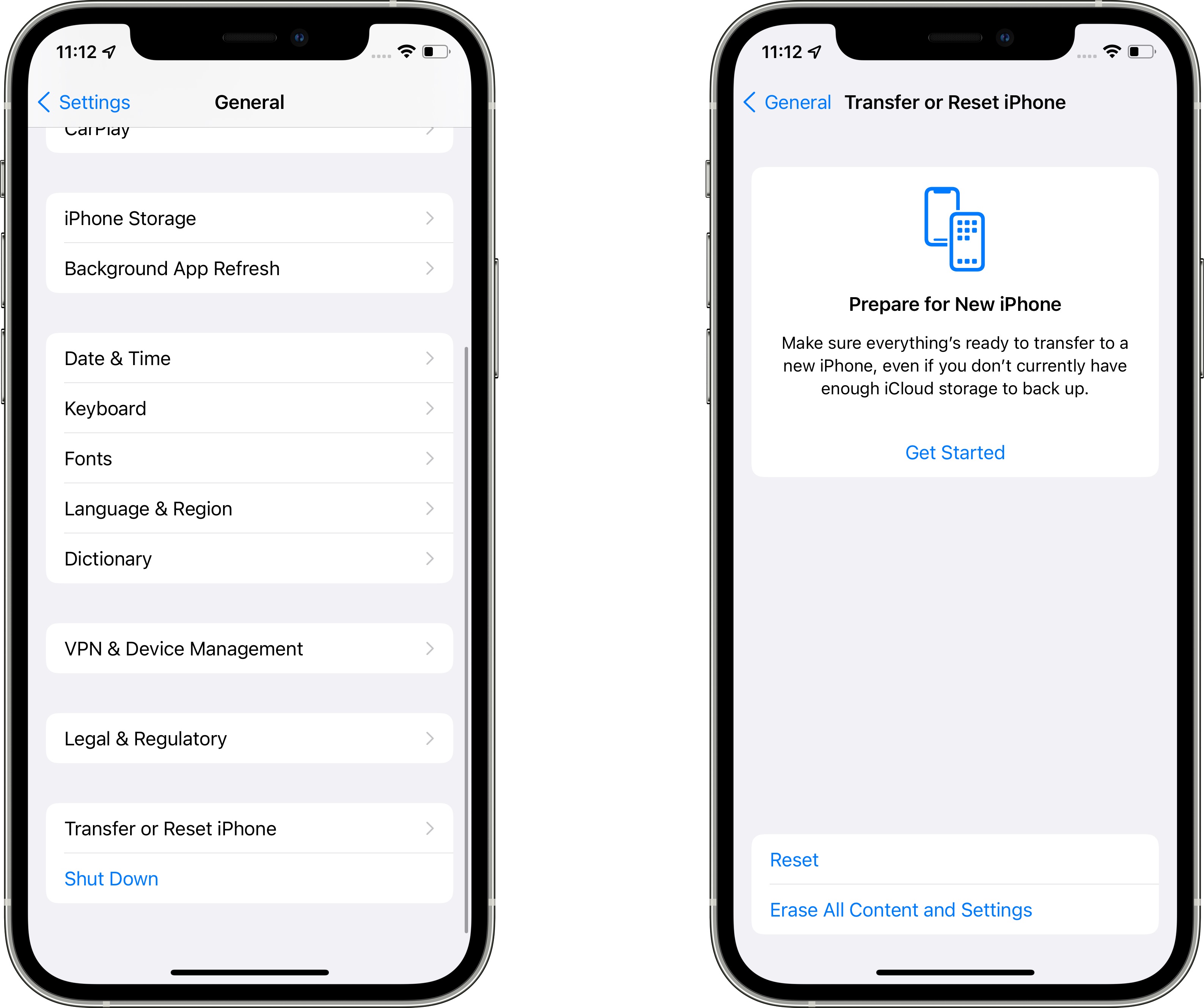
In the Settings app under General, the "Reset" button for the iPhone is now "Transfer or Reset iPhone." In this interface, the "Prepare for New iPhone" option is front and center. Prepare for New iPhone was an option in the prior beta, but Apple is now assuming that most people want to use this section to set up a transfer to a new iPhone. All of the reset options for Network Settings, Keyboard Dictionary, Home Screen Layout and more are still there, but are now housed under the "Reset" button.
Shortcuts
There are actions for Background Sounds in the Shortcuts app to set a sound track, adjust volume, tweak volume when media is playing, and more.
Know of a feature that we left out? Let us know in the comments.
Related Roundups: iOS 15, iPadOS 15
Related Forum: iOS 15
This article, "Everything New in iOS 15 Beta 3: New Safari Search, Address Bar Relocation and Reload" first appeared on MacRumors.com
Discuss this article in our forums


Continue reading...
Apple today released the third betas of iOS 15 and iPadOS 15, and the company is continuing to refine the suite of new features that are coming in the update. There have been multiple complaints about Safari on iOS, so in the third beta, Apple has introduced some refinements.
This article covers everything that's new in the third beta of iOS 15.
Safari Search
When you tap into a URL bar on a Safari tab, the interface for entering another URL or a search term has been relocated to above the keyboard. Previously, it was located at the top of the start page. The search interface has also been streamlined.
Safari Reload
There's now an option to long press on a floating tab bar to initiate a reload, which is an alternative to using the built-in menu option.
When you reload a tab in Safari, the tab gets a permanent reload icon that can then be tapped to refresh again. The reload icon is only available in portrait mode on iPhone, but it shows up in both portrait and landscape mode on iPad. Making the button appear requires an initial reload, something that Apple may streamline in the future.
App Store Splash Screen
There is a new App Store splash screen that highlights new features available in the App Store in iOS 15 such as in-app events in apps and games, the App Store widget, and Safari Extensions on iOS.
Focus Updates
In the Focus interface in the Settings app, Apple has removed the Focus Status and Phone Calls options from the main interface, relocating them into each Focus section.
Apple Music Widget
The Apple Music widget now changes color and art based on the individual song that's playing rather than using album art. It's also more clear when a song is playing and when it's paused thanks to a new "Paused" label.
Resetting iPhone
In the Settings app under General, the "Reset" button for the iPhone is now "Transfer or Reset iPhone." In this interface, the "Prepare for New iPhone" option is front and center. Prepare for New iPhone was an option in the prior beta, but Apple is now assuming that most people want to use this section to set up a transfer to a new iPhone. All of the reset options for Network Settings, Keyboard Dictionary, Home Screen Layout and more are still there, but are now housed under the "Reset" button.
Shortcuts
There are actions for Background Sounds in the Shortcuts app to set a sound track, adjust volume, tweak volume when media is playing, and more.
Know of a feature that we left out? Let us know in the comments.
Related Roundups: iOS 15, iPadOS 15
Related Forum: iOS 15
This article, "Everything New in iOS 15 Beta 3: New Safari Search, Address Bar Relocation and Reload" first appeared on MacRumors.com
Discuss this article in our forums
Continue reading...