
M
MacRumors
Guest
Author: Juli Clover
Apple in iOS 16 introduced a customizable Lock Screen, complete with widgets. You can have up to five separate widgets on your Lock Screen, including four below the time and one above the time. There are several widgets available from Apple for apps like Weather, Calendar, Clock, Fitness, and Reminders, but third-party app developers are also able to create widgets for the Lock Screen.
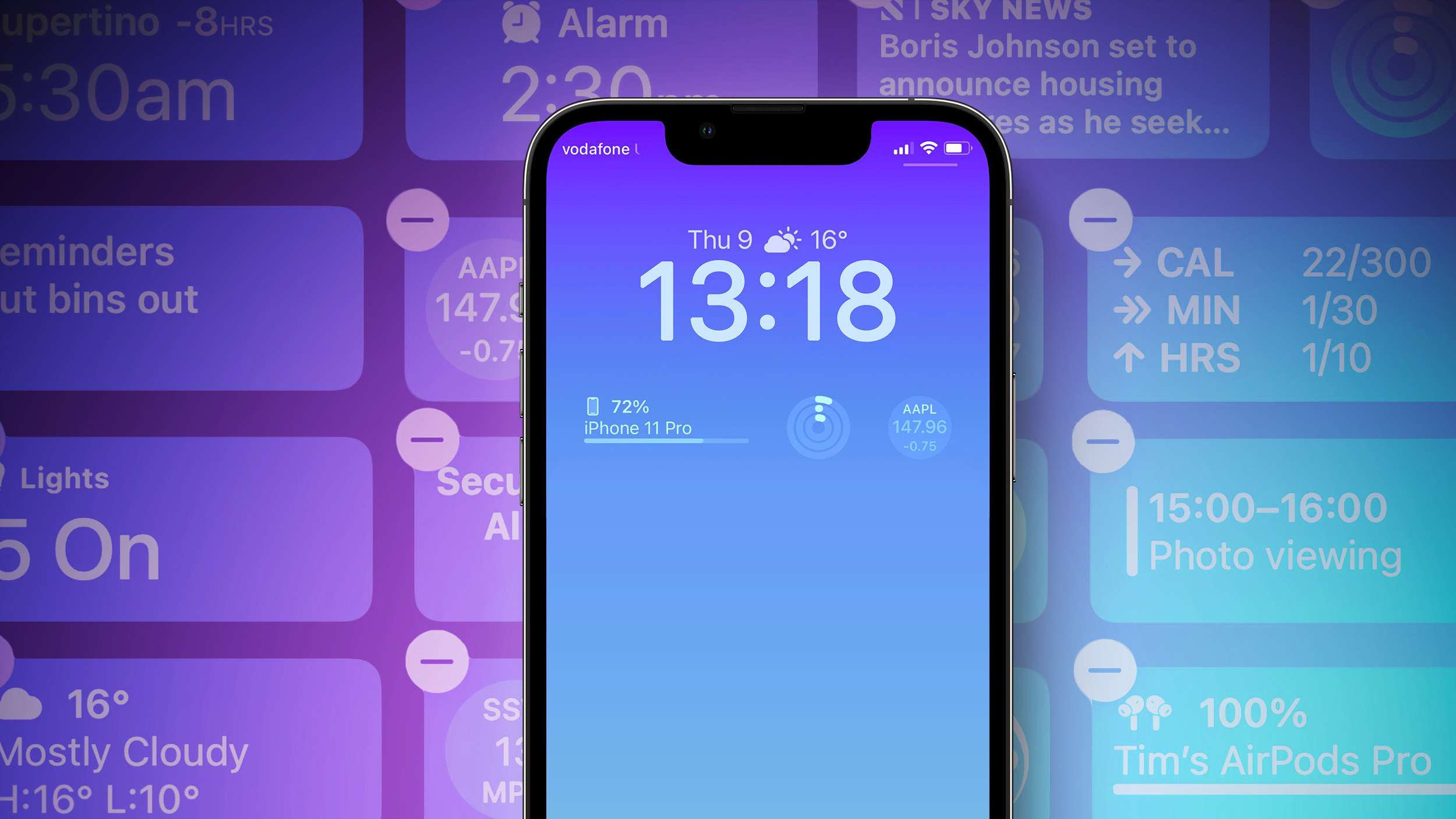
We've rounded up a bunch of third-party apps that have implemented widget support as of today, so you can see some of the widget options available to you. Note that if you're planning on getting an iPhone 14 Pro, widgets will be available even when your screen is off thanks to the Always-On display.
Flighty
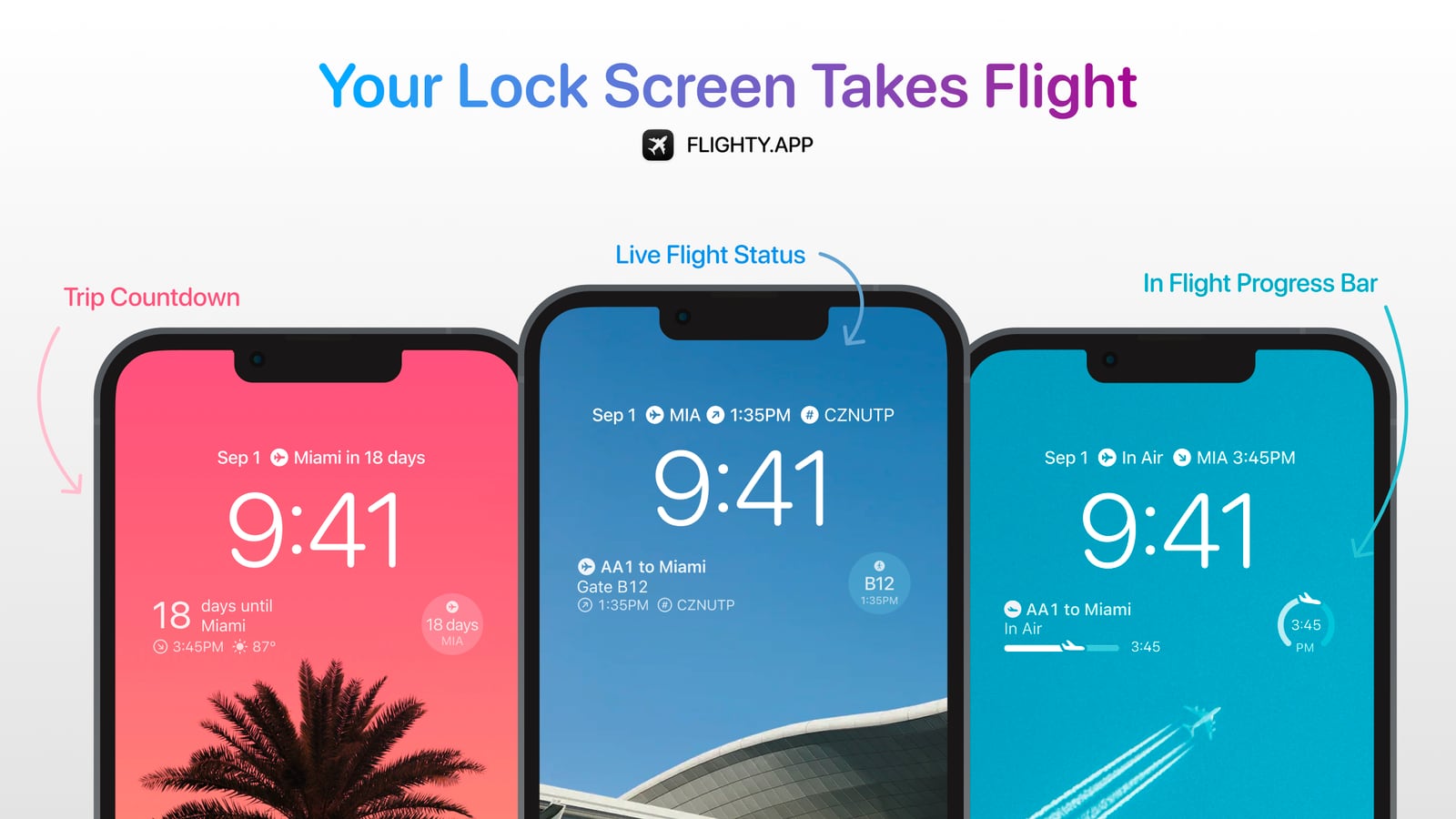
Flight tracking app Flighty offers several different widget options. You can see a countdown to your trip before you go, and when you're ready to travel, you can see your gate code, seat number, and take off time. When the flight's in the air, you can see an in-flight progress bar, and then when you land, you can view your arrival gate, weather, and baggage carousel information.
Orto
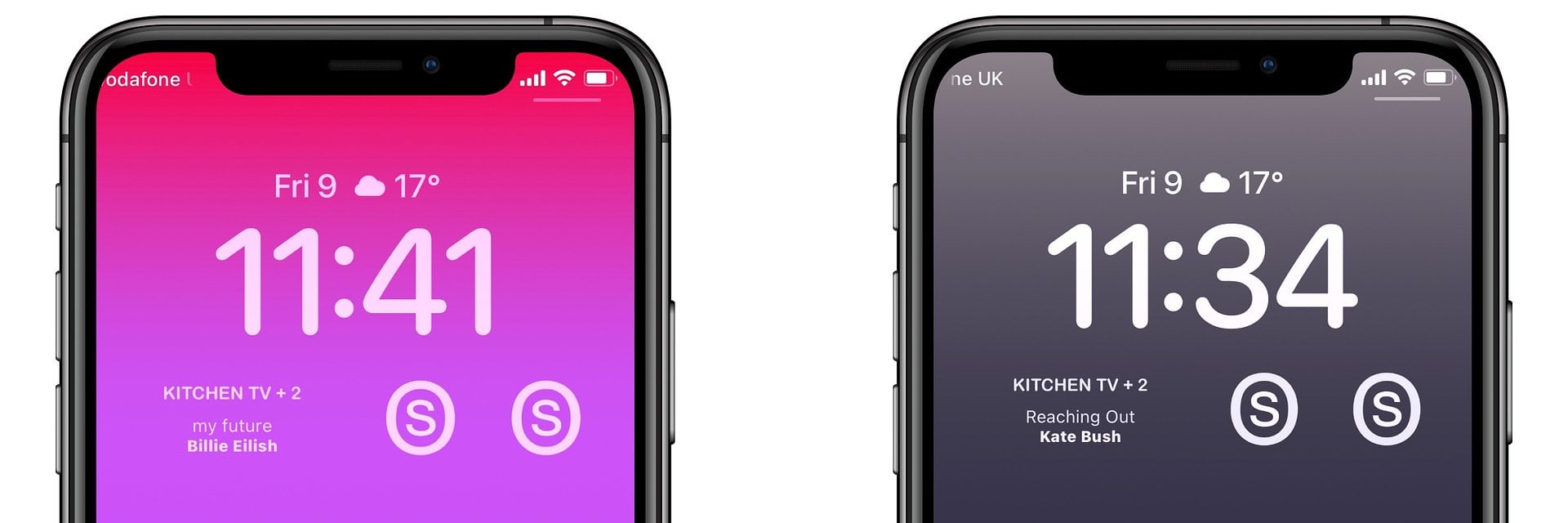
Sonos app Orto has developed Lock Screen widgets that allow those with Sonos speakers to control their devices from the Lock Screen and get a look at what's playing at the current time.
Facebook
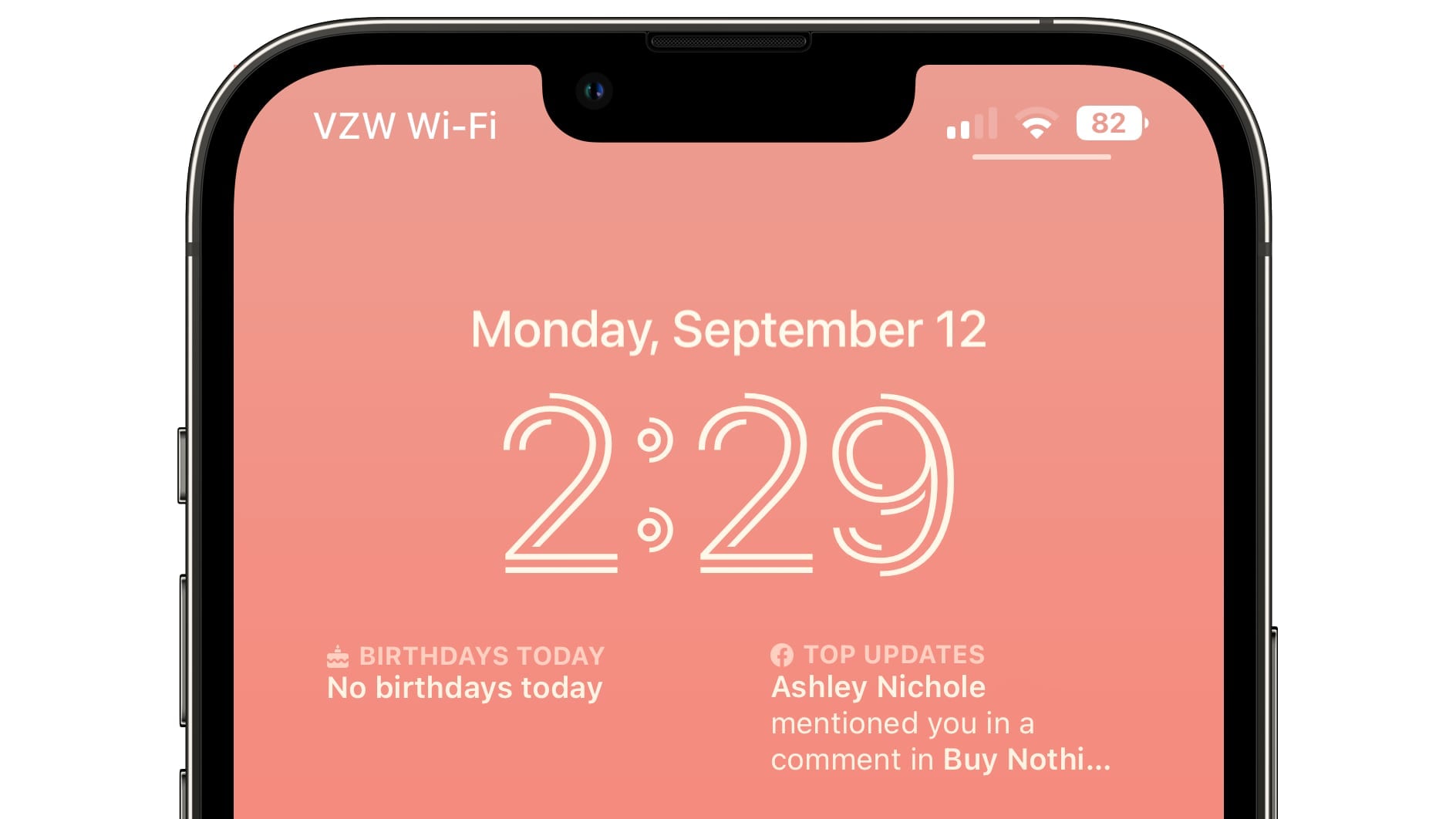
Facebook's widgets let you see which friends have birthdays and it provides top updates from the people that you follow.
Apollo
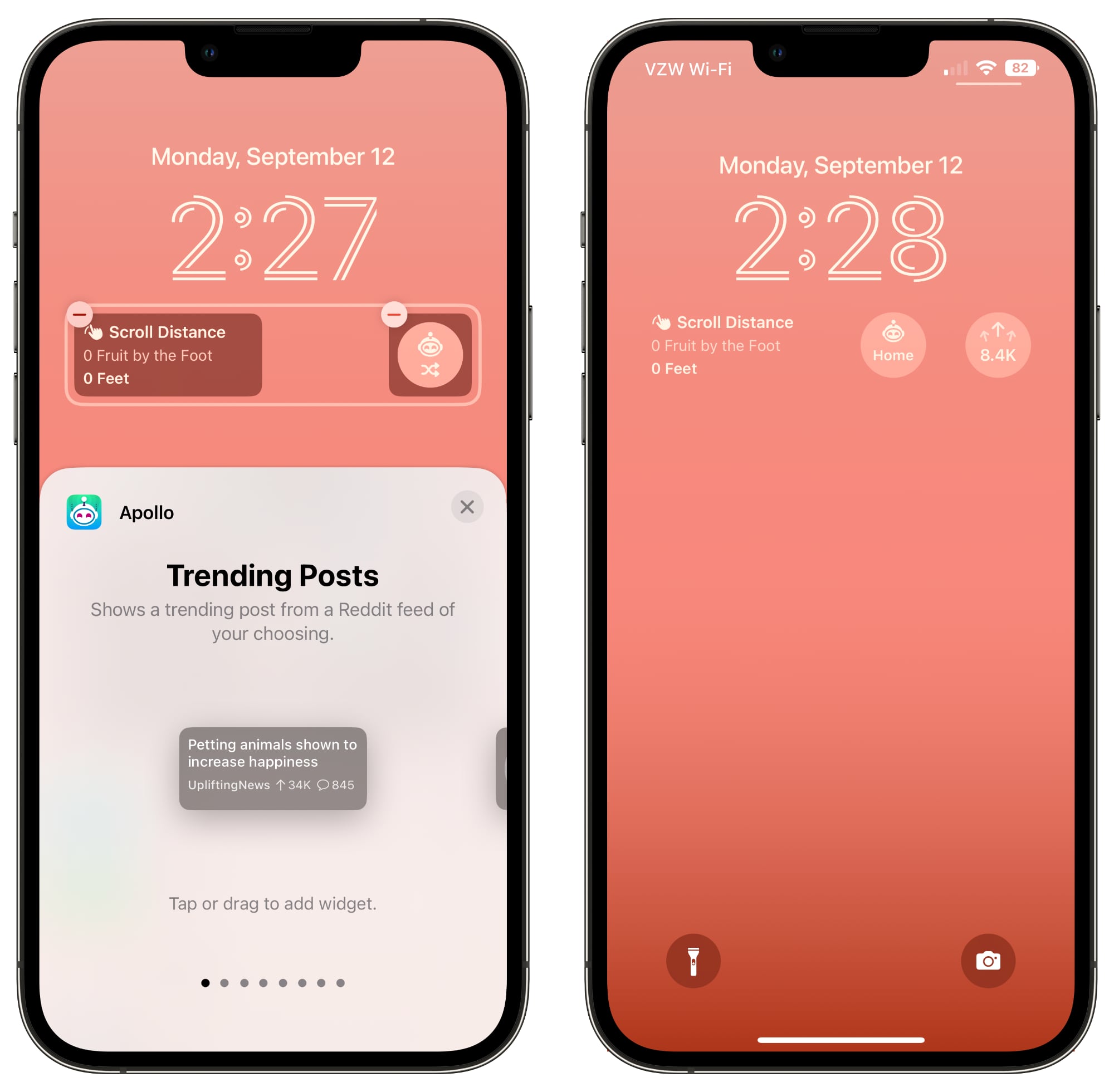
Reddit app Apollo has added several fun widgets that you can choose from. There's a widget to get you right to trending posts, a distance scrolled widget, a karma widget, and an inbox widget so you can see if you have any unread messages. There are also widgets that show you how your most recent post or comment is performing, and an option to get to a favorite subreddit or a random subreddit.
Fantastical
With Fantastical's Lock Screen widget, you can see your upcoming events and a mini calendar. Fantastical also supports Focus Filters, another iOS 16 feature.
Scanner Pro
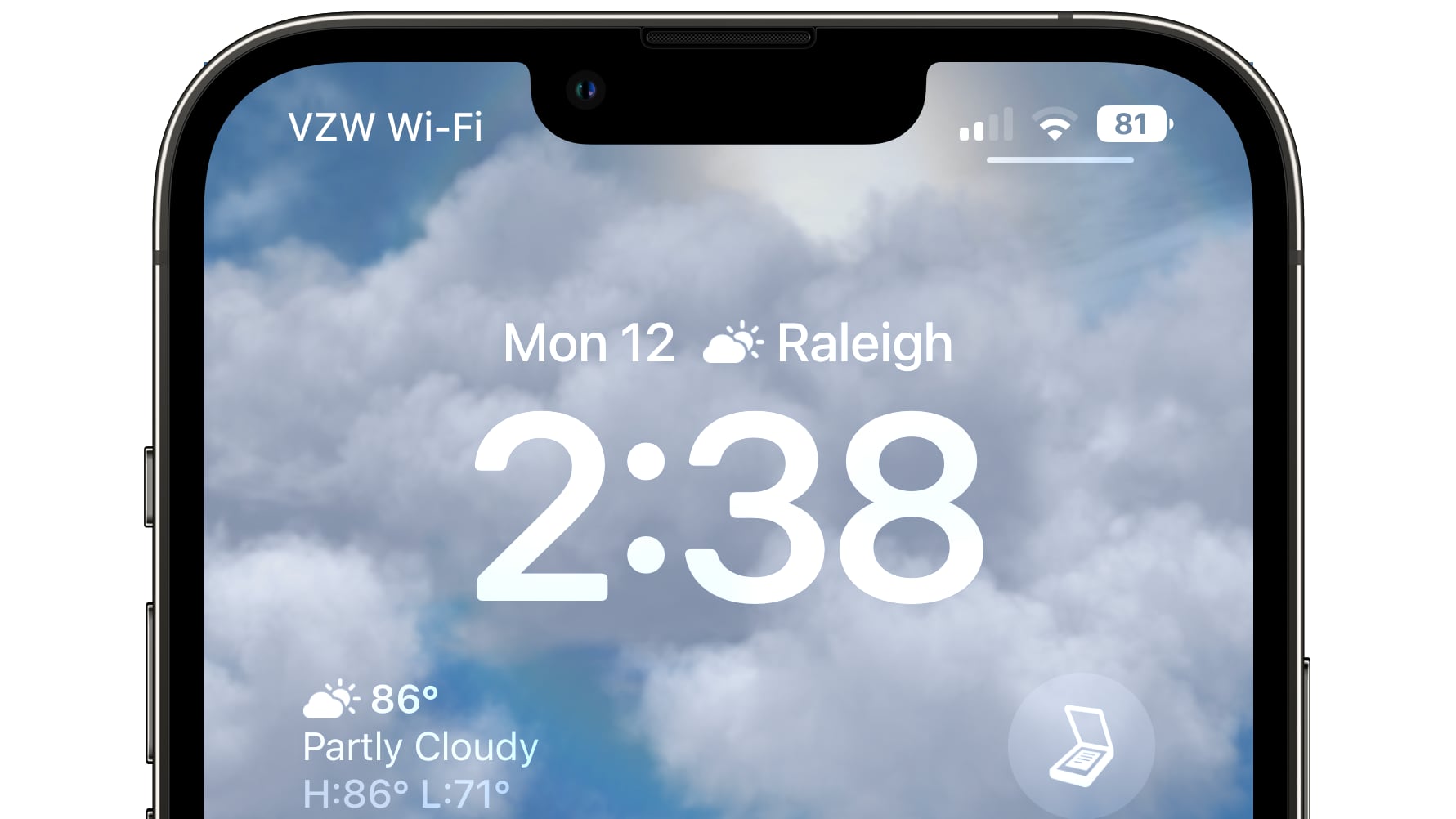
Scanner Pro's simple widget lets you tap to get right to the camera for scanning documents.
Gmail, Chrome, and Maps
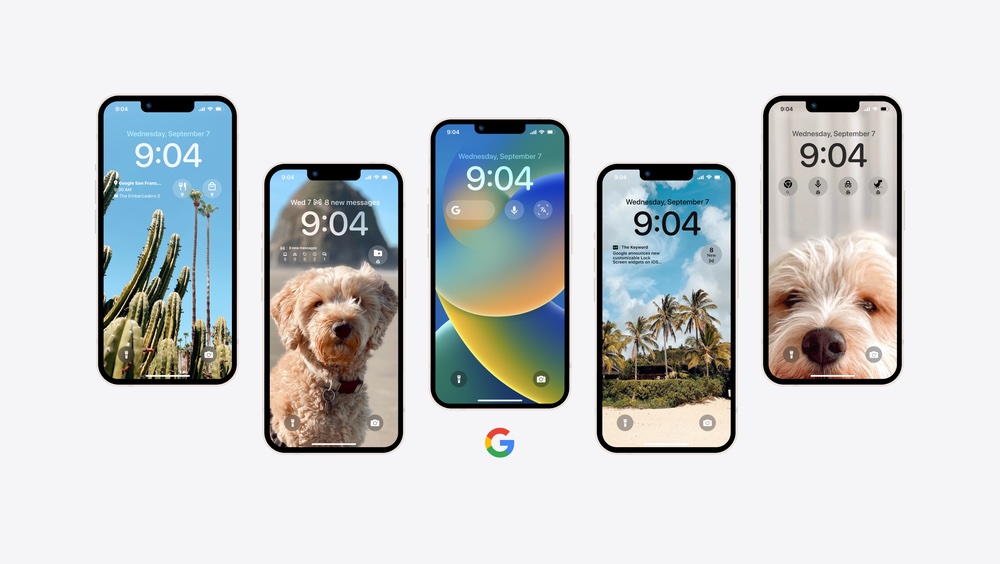
Google added a number of new widgets across its apps, as we highlighted earlier this morning. There are widgets for Google Maps Chrome, Google News, Gmail, and more.
Things 3
The Things widget allows you to set up a widget that takes you directly to your Today list, Inbox, Deadlines, and more. You can set up a widget for any list that you use. Things has a rectangular widget below the clock that shows three tasks, and a smaller widget that can be added above the clock that shows a single to-do.
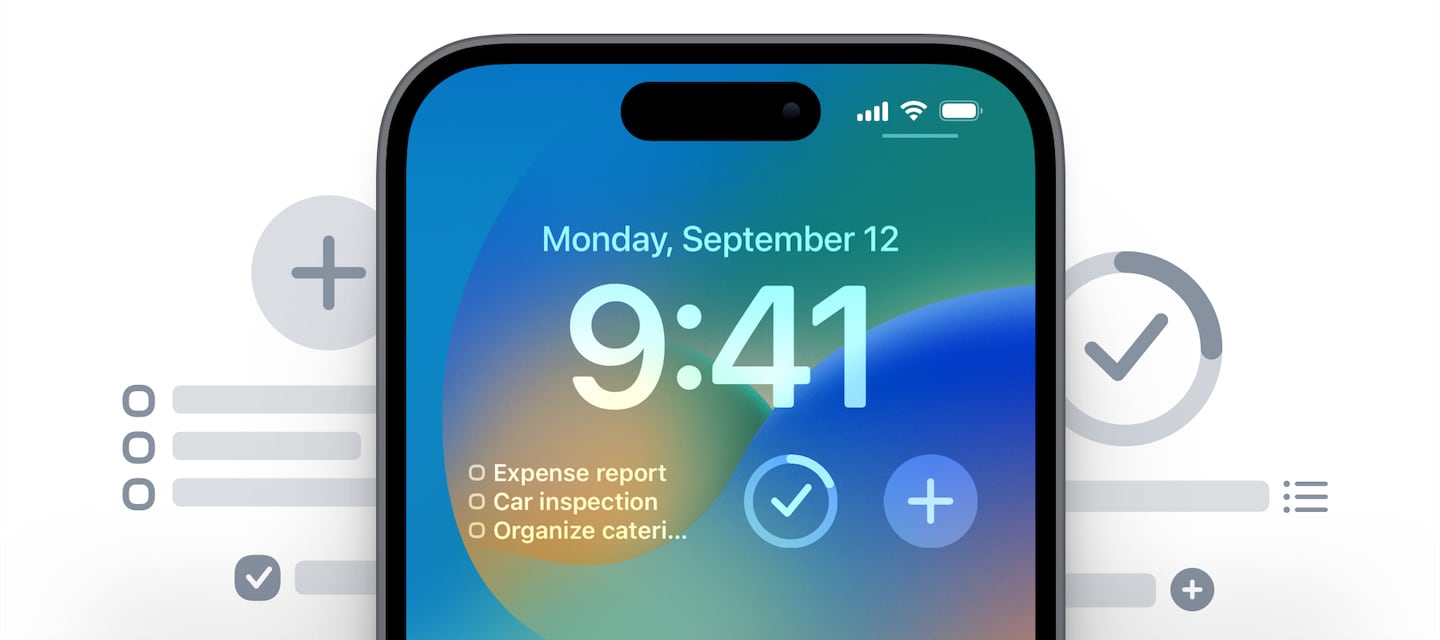
There are also widget options for adding a new to-do and showing the progress that you've made with your daily to-do list.
Halide
The Halide widget lets you access the Halide camera app from the Lock Screen. Tapping it opens up the Halide app so you have quicker access to the Halide camera.
Let Us Know Your Favorite Widget
See an app with a cool widget? Let us know in the comments and we'll add it to the list.
Related Roundups: iOS 16, iPadOS 16
Related Forum: iOS 16
This article, "Apps That Have Added iOS 16 Lock Screen Widget Support" first appeared on MacRumors.com
Discuss this article in our forums
Continue reading...
Apple in iOS 16 introduced a customizable Lock Screen, complete with widgets. You can have up to five separate widgets on your Lock Screen, including four below the time and one above the time. There are several widgets available from Apple for apps like Weather, Calendar, Clock, Fitness, and Reminders, but third-party app developers are also able to create widgets for the Lock Screen.
We've rounded up a bunch of third-party apps that have implemented widget support as of today, so you can see some of the widget options available to you. Note that if you're planning on getting an iPhone 14 Pro, widgets will be available even when your screen is off thanks to the Always-On display.
Flighty
Flight tracking app Flighty offers several different widget options. You can see a countdown to your trip before you go, and when you're ready to travel, you can see your gate code, seat number, and take off time. When the flight's in the air, you can see an in-flight progress bar, and then when you land, you can view your arrival gate, weather, and baggage carousel information.
Orto
Sonos app Orto has developed Lock Screen widgets that allow those with Sonos speakers to control their devices from the Lock Screen and get a look at what's playing at the current time.
Facebook's widgets let you see which friends have birthdays and it provides top updates from the people that you follow.
Apollo
Reddit app Apollo has added several fun widgets that you can choose from. There's a widget to get you right to trending posts, a distance scrolled widget, a karma widget, and an inbox widget so you can see if you have any unread messages. There are also widgets that show you how your most recent post or comment is performing, and an option to get to a favorite subreddit or a random subreddit.
Fantastical
With Fantastical's Lock Screen widget, you can see your upcoming events and a mini calendar. Fantastical also supports Focus Filters, another iOS 16 feature.
Scanner Pro
Scanner Pro's simple widget lets you tap to get right to the camera for scanning documents.
Gmail, Chrome, and Maps
Google added a number of new widgets across its apps, as we highlighted earlier this morning. There are widgets for Google Maps Chrome, Google News, Gmail, and more.
- Google: Initiate a search via text, voice, or the camera by opening up the app
- Gmail: View the number of messages in your inbox
- Chrome: Initiate a search, including by voice or in incognito mode
- Google Drive: Quickly access starred files and folders
- Google Maps: View real-time traffic updates and estimated travel times to frequently traveled places like home and work
- Google News: View real-time headlines
Things 3
The Things widget allows you to set up a widget that takes you directly to your Today list, Inbox, Deadlines, and more. You can set up a widget for any list that you use. Things has a rectangular widget below the clock that shows three tasks, and a smaller widget that can be added above the clock that shows a single to-do.
There are also widget options for adding a new to-do and showing the progress that you've made with your daily to-do list.
Halide
The Halide widget lets you access the Halide camera app from the Lock Screen. Tapping it opens up the Halide app so you have quicker access to the Halide camera.
Let Us Know Your Favorite Widget
See an app with a cool widget? Let us know in the comments and we'll add it to the list.
Related Roundups: iOS 16, iPadOS 16
Related Forum: iOS 16
This article, "Apps That Have Added iOS 16 Lock Screen Widget Support" first appeared on MacRumors.com
Discuss this article in our forums
Continue reading...